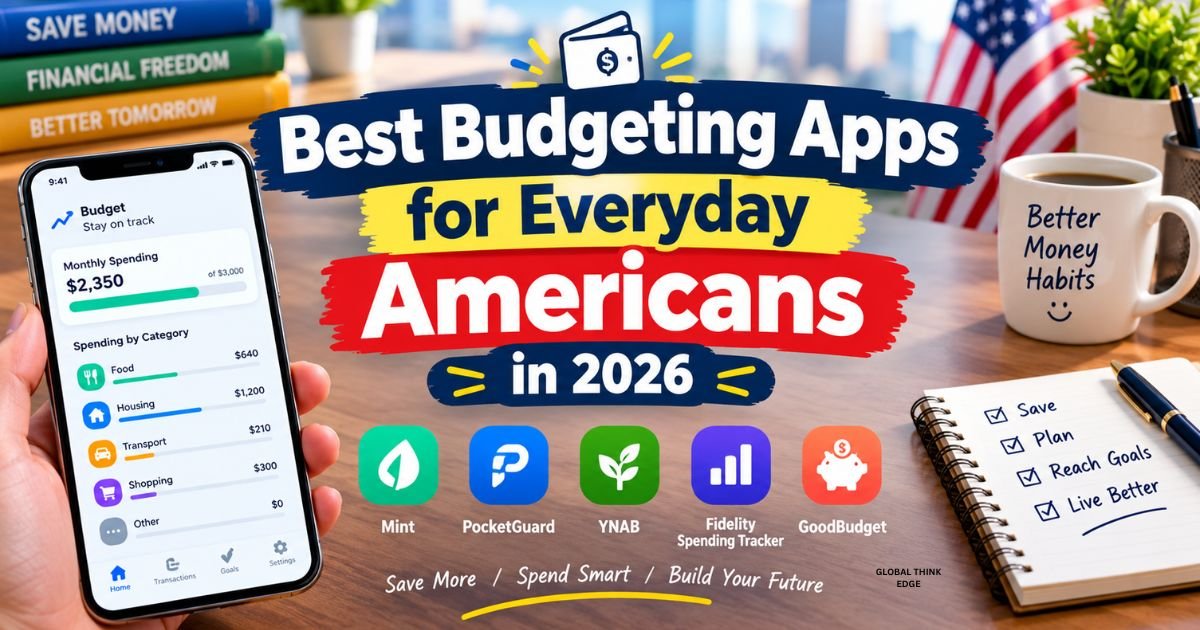
Best Budgeting Apps for Everyday Americans in 2026
The best budgeting apps for everyday Americans in 2026 include Monarch Money for managing your overall finances, Quicken Simplifi for tracking cash flow, YNAB for zero-based budgeting, PocketGuard for controlling spending, Rocket Money for subscriptions and bills, Empower for investment tracking, and Goodbudget for digital envelope budgeting. The right choice depends on your income, monthly expenses, savings goals, and how much time you want to spend managing your money.
You do not need a complicated financial system to manage your money better. A suitable budgeting app can help you understand where your paycheck goes, plan for household bills, reduce unnecessary spending, and save for future goals.
However, not every app works for every person. Some focus on daily spending, while others provide detailed reports, investment tracking, or hands-on budgeting tools. Here is how to compare the leading options and choose one that fits your everyday life.
What Is the Best Budgeting App in 2026?
Monarch Money is a strong all-around choice if you want to manage spending, savings, investments, and household finances in one place. However, Quicken Simplifi may suit you better if you want straightforward cash-flow planning, while YNAB is a better fit if you prefer to assign every dollar a specific purpose.
Your best option depends on your financial habits rather than the number of features an app offers.
| Budgeting app | Best for | Pricing overview |
| Monarch Money | Complete financial overview and couples | Paid subscription |
| Quicken Simplifi | Monthly cash flow and spending plans | Paid subscription |
| You Need a Budget (YNAB) | Zero-based budgeting | Paid subscription; student offer available |
| PocketGuard | Knowing how much you can safely spend | Free and paid options |
| Rocket Money | Subscriptions and recurring bills | Free and paid options |
| Empower Personal Dashboard | Investments and retirement planning | Free dashboard |
| Goodbudget | Envelope budgeting and beginners | Free and paid options |
Prices, promotions, and feature availability can change. Check each provider’s official pricing page before subscribing.
1. Monarch Money: Best All-Around Budgeting App
Monarch Money is a good choice if you want one place to see your spending, savings goals, investments, and overall financial position. It combines budgeting with financial tracking, making it useful if you want more than a simple monthly expense list.
Key features
- Tracks spending and net worth across connected accounts.
- Supports custom spending categories and financial goals.
- Provides reports to help you understand spending patterns.
- Helps couples coordinate household finances.
- Offers investment tracking and a consolidated financial dashboard.
How much does Monarch Money cost?
Monarch’s core plan is listed at $99.99 per year, equivalent to about $8.33 per month when billed annually. Its Plus plan costs more and includes additional planning and investment features. A seven-day trial is advertised on its pricing page. <a href=”https://www.monarch.com/pricing“>Check current Monarch pricing</a>.
Is Monarch Money right for you?
Choose Monarch if you have multiple bank accounts, credit cards, investments, or shared household expenses. Its broad financial overview can help you understand your money without switching between several apps.
The main drawback is its subscription cost. If you only need to record basic expenses, a free budgeting app may be sufficient.
2. Quicken Simplifi: Best for Cash Flow and Monthly Planning
Quicken Simplifi is designed to help you understand how much money is coming in, where it is going, and what you can afford to spend. Its forward-looking spending plans and cash-flow projections make it useful for people who want to plan before their money runs out.
Key features
- Tracks spending, savings, and investments.
- Provides projected cash flow information.
- Helps you plan for upcoming bills and financial goals.
- Offers reports and alerts to monitor spending.
- Brings connected financial accounts into one view.
How much does Quicken Simplifi cost?
Quicken currently advertises promotional pricing for new customers, with Simplifi listed at $3.99 per month when billed annually during the offer period. The regular price shown is higher, and promotional terms may change. <a href=”https://www.quicken.com/products/pricing-comparison-products“>Check Quicken’s current plans</a>.
Is Quicken Simplifi worth it?
Simplifi is worth considering if you want to plan for bills, groceries, transportation, and savings before spending your paycheck. It can be especially helpful when your expenses vary from month to month.
You should compare the renewal price with your budget before signing up. An app only saves you money if its benefits justify its cost.
3. You Need a Budget (YNAB): Best for Zero-Based Budgeting
You Need a Budget, commonly called YNAB, is ideal if you want a more hands-on approach to money management. Its zero-based budgeting method encourages you to give every dollar you currently have a specific job, such as paying rent, buying groceries, paying off debt, or building savings.
Key features
- Assigns available money to planned categories.
- Helps you prepare for irregular expenses.
- Encourages regular budget reviews and adjustments.
- Supports shared budgeting and financial goals.
- Provides educational resources for developing budgeting habits.
Is YNAB really worth it?
YNAB can be worth paying for if you want to change how you handle money rather than simply track past transactions. It encourages you to make spending decisions before your money disappears into everyday purchases.
However, it requires participation. You need to categorize transactions, review your plan, and adjust categories when your priorities change. If you prefer automatic tracking with minimal involvement, another app may suit you better.
What are the drawbacks of YNAB?
The main drawbacks are its subscription cost and learning curve. Its method may feel demanding if you only want a quick overview of your bank balance. It can also take time to build the habit of assigning money and reviewing your budget regularly.
Is there anything better than YNAB?
There is no universally better app. Monarch Money offers a broader financial overview, Quicken Simplifi focuses on forward-looking cash flow, and Goodbudget provides a simpler envelope-based approach. YNAB is strongest when you want to actively manage every dollar.
4. PocketGuard: Best for Controlling Overspending
PocketGuard helps you understand how much money you have available after accounting for bills, planned expenses, and savings goals. Its remaining-money approach can make everyday spending decisions easier.
Key features
- Tracks connected financial accounts.
- Helps you create spending categories and savings goals.
- Monitors recurring bills and subscriptions.
- Offers debt-payoff planning tools.
- Provides a remaining-money view to support spending decisions.
How much does PocketGuard cost?
PocketGuard offers a free option and a paid Premium plan. Its official pricing page lists Premium at $74.99 per year or $12.99 per month, with a lifetime option also advertised. Features and offers may change. <a href=”https://pocketguard.com/pricing/“>Check PocketGuard pricing</a>.
Is PocketGuard right for you?
PocketGuard may be useful if you frequently overspend on dining out, shopping, entertainment, or other nonessential purchases. Instead of calculating your available money manually, you can use its spending overview to make more informed decisions.
Remember that an app’s available-spending estimate is only as accurate as the accounts, bills, and expenses you record or connect. Review upcoming payments before making a large purchase.
5. Rocket Money: Best for Subscriptions and Recurring Bills
Rocket Money is useful if you want to find recurring expenses, monitor subscriptions, and organize your monthly finances. It combines spending tools with services designed to help you manage certain bills.
Key features
- Tracks subscriptions and recurring payments.
- Provides budgeting and bill reminders.
- Helps identify spending patterns.
- Offers subscription cancellation assistance through eligible paid features.
- Provides a bill-negotiation service with a separate success-based fee.
Is Rocket Money free?
Rocket Money offers a free plan with basic financial tools and optional paid services. Premium pricing varies by plan, platform, and offer; its published pricing information has described a typical range of 7–14 per month for Premium, with other tiers available. <a href=”https://www.rocketmoney.com/learn/personal-finance/how-much-does-rocket-money-cost“>Review Rocket Money’s pricing details</a>.
Is Rocket Money worth it?
Rocket Money may be worth considering if forgotten subscriptions or recurring charges are eating into your paycheck. Finding and canceling services you no longer use can free up money without requiring major lifestyle changes.
Before using bill negotiation, review the fee terms. Rocket Money states that its successful negotiations can involve a fee based on a percentage of the first year’s savings.
6. Empower Personal Dashboard: Best for Investors
Empower Personal Dashboard is a good option if you want to track investments and retirement planning alongside everyday financial activity. It provides a broader view of your financial position, including connected accounts and investment holdings.
Key features
- Tracks investment accounts and portfolio information.
- Helps you monitor net worth.
- Provides retirement-planning tools.
- Tracks spending across connected accounts.
- Supports long-term financial planning.
Is Empower really free?
Empower advertises its Personal Dashboard and associated financial tools as free. Its features focus heavily on investments and retirement planning rather than detailed, hands-on category budgeting. <a href=”https://www.empower.com/free-financial-tools-sign-up“>Explore Empower’s free financial tools</a>.
Who should use Empower?
Consider Empower if you want to monitor your retirement accounts, investments, and overall financial progress without paying for a dashboard subscription. If your primary goal is strict control over grocery spending or weekly cash allowances, a dedicated budgeting app may be easier to use.
Remember that investment tracking is not a guarantee of investment returns, and you should evaluate financial products independently.
7. Goodbudget: Best Digital Envelope Budgeting App
Goodbudget brings the traditional cash-envelope method into a digital format. Instead of putting physical cash into separate envelopes, you allocate portions of your available money to categories such as rent, groceries, transportation, entertainment, and savings.
Key features
- Organizes money into digital envelopes.
- Helps you set category-specific spending limits.
- Supports household budgeting and syncing.
- Encourages planning before making purchases.
- Offers a free basic plan and a paid upgrade.
Is Goodbudget good for beginners?
Yes. Goodbudget can be a practical starting point if you want to learn how to divide your income into spending categories. It makes it easier to see how much you have allocated to each purpose and whether you are approaching a limit.
The free version has limits, including a 20-envelope allowance, so check the current plan details before deciding whether to upgrade.
Goodbudget is especially useful if you prefer a clear, category-based system over a complicated financial dashboard.
Which Budgeting App Is Best for Your Financial Situation?
The best budgeting apps for everyday Americans serve different needs. Use your biggest financial challenge to narrow down the options.
| If you want to… | Consider |
| See your complete financial picture | Monarch Money |
| Plan bills and future cash flow | Quicken Simplifi |
| Give every dollar a job | YNAB |
| Control everyday spending | PocketGuard |
| Find unwanted subscriptions | Rocket Money |
| Track investments and retirement | Empower |
| Learn envelope budgeting | Goodbudget |
You do not need to subscribe to several apps at once. Start with the one that addresses your biggest problem, learn its features, and consider alternatives only if it fails to meet your needs.
What Is the Best App for Budgeting and Saving Money?
The best app for budgeting and saving money is the one that helps you consistently spend less than you earn and work toward specific goals. Goodbudget can help you set category limits, YNAB can help you allocate available money, and Monarch Money can help you monitor spending and savings goals in one place.
To make your app more useful, set a specific target. You might want to save $500 for car repairs, build a starter emergency fund, pay off a credit card, or save for a vacation.
Then create a budget category for that goal and assign an amount you can realistically afford. Review your progress weekly and increase your contribution when your income or expenses allow it.
What Does the 50-30-20 Budget Rule Recommend?
The 50-30-20 budget rule recommends allocating approximately 50% of your after-tax income to needs, 30% to wants, and 20% to savings and debt repayment.
For example, if you bring home $4,000 per month, the guideline would look like this:
- Needs: $2,000. Housing, essential utilities, groceries, transportation, and required payments.
- Wants: $1,200. Dining out, entertainment, hobbies, and nonessential purchases.
- Savings and debt repayment: $800. Emergency savings, retirement contributions, or extra payments toward debt.
These percentages are a starting point, not strict rules. If housing costs take up more than half your income, adjust the categories to reflect your actual circumstances.
A budgeting app can help you compare your real spending with these targets and identify categories that need attention.
What Is the 70-20-10 Rule for Money?
The 70-20-10 rule commonly divides income into 70% for living expenses, 20% for savings or debt repayment, and 10% for charitable giving or other financial priorities, depending on the version you follow.
The 70-10-10-10 budget rule is another variation that divides money among several purposes, such as living expenses, saving, investing, and giving or debt reduction. The exact allocation can vary by source, so define your percentages before using the method.
The important point is to choose a framework that reflects your income, responsibilities, and goals. You can use any of these methods with an app that supports custom categories.
What Is the 10% Investor Rule?
The 10% investor rule is a general guideline that encourages you to invest around 10% of your income. It is not a universal financial requirement, and the right amount depends on your goals, debt, emergency savings, and retirement timeline.
If you are starting from scratch, first review your essential expenses and consider building an emergency fund. You should also account for high-interest debt before deciding how much you can comfortably invest.
A budgeting app can help you set an investment target and track contributions, but it cannot determine which investments are suitable for your circumstances.
What Bills Do Most Adults Pay Monthly?
Most American households pay some combination of the following monthly bills:
- Rent or mortgage payments.
- Electricity, gas, water, and other utilities.
- Internet and mobile phone service.
- Groceries and household supplies.
- Transportation, fuel, car payments, and insurance.
- Health insurance and medical expenses.
- Credit card, student loan, or other debt payments.
- Childcare, subscriptions, and other recurring services.
Your list will depend on your household and location. Some expenses, such as car registration, annual insurance premiums, and property taxes, may not arrive monthly. Set aside money for them throughout the year so they do not disrupt your budget when due.
What Are the Three Biggest Household Expenses?
For many American households, housing, transportation, and food are among the largest expense categories. Your personal ranking will depend on where you live, whether you own a car, and how many people share your household.
Review your spending over several months rather than relying on one unusually expensive month. An expense-tracking app can help you spot patterns and decide whether a major category needs a realistic adjustment.
What Are Common Unexpected Expenses?
Unexpected expenses include emergency car repairs, medical bills, urgent home repairs, appliance replacement, unplanned travel, and sudden income interruptions.
You can prepare for these costs by creating an emergency-fund category and contributing a manageable amount each payday. Even a small reserve can reduce your reliance on credit cards when something goes wrong.
Budgeting apps make it easier to monitor your progress, but the amount you save should fit your income and essential obligations.
How Do You Use Your Money to Make Money?
You can put money to work by reducing high-interest debt, building savings, investing for long-term goals, or developing skills that improve your earning potential. The right approach depends on your financial stability and time horizon.
Start by understanding your income and expenses. Build a workable budget, account for emergencies, and avoid investing money you need for immediate bills. Once your finances are more stable, research appropriate investment options and their risks.
A budgeting app can help you track savings contributions and investment balances, but it does not replace independent research or professional financial advice.
Can You Live on $1,000 a Month in the United States?
Living on $1,000 a month in the United States can be extremely difficult, particularly if you pay market-rate rent, transportation, healthcare, and utilities yourself. It may be possible in limited circumstances, such as shared housing, subsidized housing, or living with family, but it is not a realistic budget for many households.
If you have a very limited income, list your essential costs first and look for assistance programs or lower-cost alternatives where available. A budgeting app can help you prioritize spending, but it cannot make an income shortfall disappear.
Is Dave Ramsey’s Budgeting App Worth It?
Dave Ramsey’s budgeting approach is associated with EveryDollar, an app built around planning how you use your income. It may suit you if you prefer a structured, zero-based budgeting method and want to follow the Ramsey approach to saving and paying off debt.
Whether it is worth paying for depends on the features you need, the current subscription price, and whether you will consistently use the system. Compare EveryDollar with YNAB and Goodbudget before deciding.
Why Do People Like YNAB So Much?
People who like YNAB often appreciate its focus on intentional spending. Instead of treating your bank balance as money available for anything, you assign available funds to specific priorities and adjust the plan as life changes.
That approach can be helpful if you frequently run short before payday or struggle to prepare for irregular expenses. However, it works best when you are willing to review transactions and maintain your budget.
What’s the Best Side Hustle to Make Money?
There is no single best side hustle for everyone. Freelancing, tutoring, pet sitting, delivery work, selling handmade products, and providing local services can all generate additional income, depending on your skills, schedule, and location.
Before starting, consider your costs, taxes, time commitment, and realistic earning potential. Use your budgeting app to track side-hustle income and related expenses separately from your regular household spending.
What Creates 90% of Millionaires?
There is no reliable universal rule that a single habit or activity creates 90% of millionaires. Wealth can result from different combinations of income, saving, investing, business ownership, inheritance, and long-term financial decisions.
Rather than relying on a dramatic percentage claim, focus on actions you can control: spending within your means, reducing expensive debt, building savings, and making informed long-term financial decisions.
What Is Considered a Good Retirement Nest Egg?
A good retirement nest egg depends on your expected retirement spending, other income sources, healthcare needs, age, and desired lifestyle. A single dollar target will not fit every household.
Estimate your annual retirement expenses, review expected Social Security or pension income, and consider how much you may need from savings and investments. A financial planning tool such as Empower can help you explore retirement scenarios, although projections are estimates rather than guarantees.
How to Choose the Right Budgeting App
Before downloading an app or paying for a subscription, ask yourself these questions:
- What is your biggest problem? Choose an app that addresses overspending, bill management, saving, or investment tracking.
- Do you want automation or hands-on control? Automated tracking saves time, while manual or zero-based methods encourage active decisions.
- Does it support your accounts? Confirm that your bank, credit card, and other relevant accounts can connect reliably.
- Can you afford the subscription? Compare the annual cost with your expected benefits and check the renewal price.
- Does it protect your financial information? Review its privacy policy, security features, account permissions, and data-sharing practices.
- Will you use it regularly? A simple app you check every week may be more useful than a sophisticated app you quickly abandon.
You can test a free option or trial before committing, but read the terms and cancellation requirements carefully.
Final Verdict: Which Budgeting App Should You Choose?
The best budgeting app for everyday Americans depends on how you want to manage your money. Choose Monarch Money for a comprehensive financial overview, Quicken Simplifi for cash-flow planning, YNAB for disciplined zero-based budgeting, PocketGuard for spending awareness, Rocket Money for recurring bills, Empower for investments, or Goodbudget for envelope budgeting.
If you are new to budgeting, begin with a clear monthly plan: calculate your income, list essential bills, set spending limits, and choose one realistic savings goal. Then use an app to review your progress every week.
You do not need the most expensive app or a perfect budget. You need a system you understand, can afford, and will continue using.
