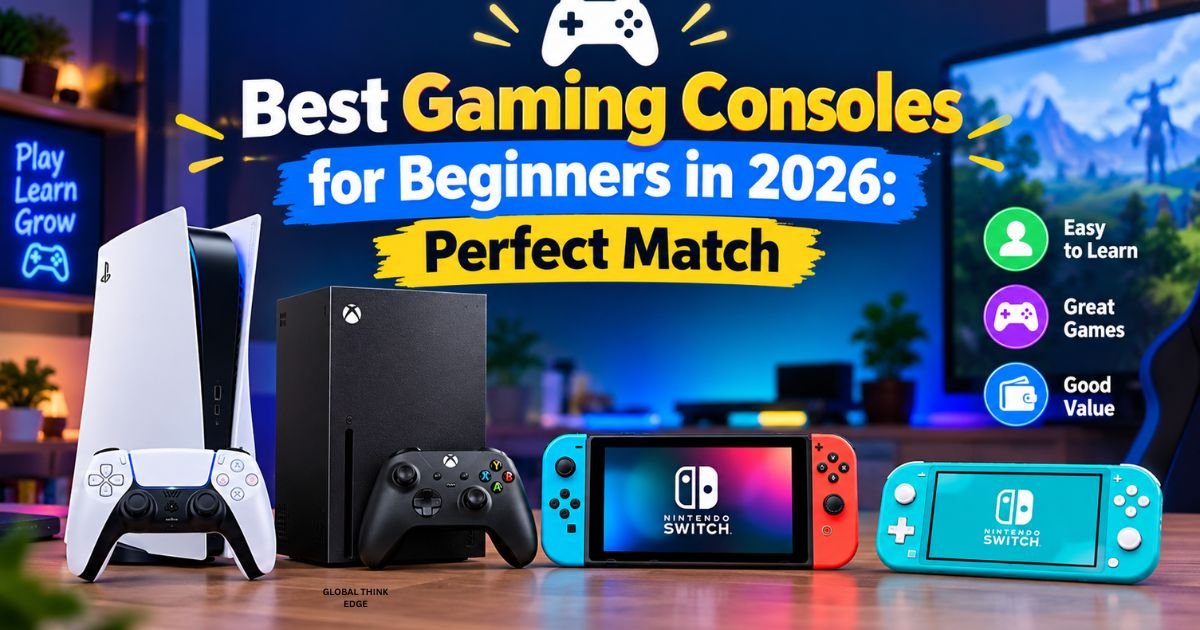
Best Gaming Consoles for Beginners in 2026: Perfect Match
Choosing the best gaming consoles for beginners in 2026 depends on your budget, favorite games, and how you want to play. The Xbox Series S is a strong budget option, the PlayStation 5 Slim is an excellent all-around home console, the Nintendo Switch 2 is ideal for portable and family gaming, and the Steam Deck OLED suits beginners interested in PC games.
You don’t need expensive equipment or years of gaming experience to get started. You simply need a console that feels comfortable, offers games you enjoy, and fits your budget.
Which Gaming Console Is Best for Beginners in 2026?
The best console for you depends on your priorities. Consider these four options before making your decision.
1. Xbox Series S: Best Budget Gaming Console
The Xbox Series S is an excellent starting point if you want modern gaming without paying for a premium console. Its compact design, fast loading times, and digital game library make it easy to get started.
Why you might choose it:
- Lower entry cost than many premium consoles.
- Access to digital games through the Xbox Store.
- Xbox Game Pass subscription options for discovering games.
- Compact design that fits easily into a bedroom or living room.
- Support for popular multiplayer and single-player games.
Xbox Game Pass can offer good value if you want to try different games instead of purchasing every title separately. However, subscription prices, available games, and plan benefits can change.
What to consider: The Series S is an all-digital console, so you cannot use physical game discs. Its storage capacity and graphical performance are also more limited than those of the Xbox Series X.
Choose the Xbox Series S if affordability and convenient access to digital games matter most to you.
2. PlayStation 5 Slim: Best Overall Home Console
The PlayStation 5 Slim is a great choice if you want an accessible home gaming experience with modern graphics, quick loading, and a strong selection of games.
Its DualSense controller includes adaptive triggers and haptic feedback, which can make supported games feel more immersive. You can also explore action adventures, sports games, racing titles, platformers, and family-friendly experiences.
Why you might choose it:
- Fast SSD storage and short loading times.
- An intuitive interface for everyday gaming.
- A comfortable controller with immersive features.
- A large library of PS5 games.
- Access to a broad range of single-player and multiplayer experiences.
The PS5 Slim comes in disc and digital editions, depending on the model. A disc-compatible version gives you more flexibility to purchase used physical games, while a digital edition keeps everything in your online library.
What to consider: The PS5 Slim generally costs more than the Xbox Series S. New games and optional online subscriptions can also increase your overall spending.
Choose the PS5 Slim if you want a well-rounded home console with a strong game library and an easy learning curve.
3. Nintendo Switch 2: Best for Families and Portable Gaming
The Nintendo Switch 2 is ideal if you want to play at home, take your games with you, or share gaming sessions with family and friends.
You can use it as a handheld system or connect its dock to a compatible television. Nintendo’s game library includes accessible experiences such as Mario Kart World and other Nintendo titles. It also supports compatible Nintendo Switch games, although some older titles may have compatibility limitations.
Nintendo’s official specifications list a 7.9-inch 1080p screen, support for up to 120Hz in compatible games, and TV output up to 4K at 60 frames per second with compatible games and displays. These are maximum supported capabilities, not guarantees for every game. Source: Nintendo’s official announcement.
Why you might choose it:
- Portable and television-based gaming in one system.
- Accessible games for different ages and experience levels.
- Convenient local multiplayer options.
- A large screen for handheld play.
- Flexible play modes for home and travel.
What to consider: The Switch 2 is not necessarily the cheapest option. You may also need to budget for additional controllers, games, or a compatible microSD Express card.
Choose the Nintendo Switch 2 if you prefer flexibility, family gaming, and Nintendo’s distinctive games.
4. Steam Deck OLED: Best for Portable PC Gaming
The Steam Deck OLED is worth considering if you want to explore PC gaming without starting with a traditional desktop computer.
It runs SteamOS and lets you access a large library of PC games through Steam. Its handheld design combines built-in controls, a screen, and a portable gaming system in one device.
Why you might choose it:
- Portable access to many PC games.
- An OLED screen with vibrant colors and deep contrast.
- Built-in controls without requiring a separate keyboard or mouse for most supported games.
- Access to different game genres and PC gaming features.
- More flexibility than a traditional closed-console ecosystem.
What to consider: The Steam Deck OLED is not as straightforward as every conventional console. Some games require additional settings, certain titles may not work perfectly, and compatibility can vary. Its price can also be relatively high.
Choose it if you want portable gaming and are willing to learn a little about PC gaming along the way.
Gaming Console Comparison for Beginners
| Console | Best for | Main advantage | Main drawback |
| Xbox Series S | Budget-conscious beginners | Digital gaming and subscription value | No physical game discs |
| PlayStation 5 Slim | Most home gamers | Strong game library and controller features | Higher initial cost |
| Nintendo Switch 2 | Families and portable players | Handheld and TV play | Games and accessories add to the cost. |
| Steam Deck OLED | Portable PC gaming | Flexible PC game library | Some games require troubleshooting. |
Your best choice isn’t necessarily the most expensive or technically advanced console. It is the one that gives you the games and features you will actually use.
How to Choose Your First Gaming Console
Before buying, consider these practical factors.
Set a Realistic Budget
Your total gaming budget should include more than the console itself. Games, subscriptions, additional controllers, storage, and accessories can add up.
If your budget is limited, the Xbox Series S is worth comparing with discounted older consoles. If you want physical games, check the total cost of a disc-compatible PlayStation model before deciding.
Think About the Games You Want to Play
Your favorite games should influence your decision more than specifications alone.
- Choose PlayStation if its exclusive and story-driven games appeal to you.
- Choose Xbox if you value its ecosystem and want to explore games through subscription options.
- Choose Nintendo if you enjoy accessible family games and portable play.
- Choose Steam Deck if you want access to PC games in a handheld format.
Check that the specific games you want are available and compatible with your chosen console.
Check Your TV or Monitor
A modern 4K television isn’t essential for beginners. Many consoles work with compatible 1080p displays, although supported resolution and refresh rates vary by console and game.
The PS5 and Xbox Series S connect to compatible displays through HDMI. The Nintendo Switch 2 can also connect to a television using its dock. The Steam Deck OLED has its own screen and can connect to an external display with suitable accessories.
Consider Online Gaming
If you want to play with friends, check whether your games require a paid online membership. Also consider parental controls, voice chat settings, and whether your home internet connection is reliable enough for online play.
Keep Setup Simple
Start with the console, its included controller, a suitable display if required, and one or two games. You don’t need a gaming headset, extra storage, or premium accessories immediately.
Once you know what you enjoy, you can upgrade your setup based on your actual needs.
Is It Better to Buy a New Console or an Older Model?
A newer console generally offers better long-term support for current games, but an older model can be a sensible purchase if it costs significantly less.
The Xbox One and PlayStation 4 still have games worth exploring, but they belong to an older hardware generation. The Xbox Series S and PS5 offer more modern performance and are better starting points if you want to focus on current-generation releases.
Before buying an older console, check its condition, controller quality, storage, online-service support, and the availability of the games you want. A cheap console isn’t good value if you need expensive repairs or cannot play your preferred titles.
What Should You Do After Buying Your First Console?
Getting started is straightforward when you follow a few basic steps.
- Connect your console: Follow the manufacturer’s instructions and connect it to a compatible display or power source.
- Update the system: Install available system updates before downloading games.
- Create your account: Use the official account setup process and enable appropriate security protections.
- Adjust the controls: Explore controller settings, accessibility options, and display preferences.
- Choose an easy first game: Start with a racing game, platformer, sports game, or beginner-friendly adventure.
- Manage your spending: Set a limit for games and subscriptions before making additional purchases.
- Review privacy settings: Configure parental controls and communication options if children will use the console.
Take your time learning the controls. You don’t need to master everything on the first day.
Frequently Asked Questions About Gaming Consoles in 2026
Which console should I get in 2026?
Choose the Xbox Series S for budget-friendly digital gaming, the PS5 Slim for an excellent home console experience, the Nintendo Switch 2 for portable and family gaming, or the Steam Deck OLED for handheld PC games.
Is it worth getting PS5 or wait for PS6?
The PS5 remains a practical option if you want to play available games now. Waiting only makes sense if you are comfortable delaying your purchase and want to evaluate future hardware when Sony announces confirmed details.
Should I buy an Xbox or PlayStation in 2026?
Buy an Xbox if its pricing, subscription options, and game library suit you better. Choose PlayStation if you prefer its game selection, controller features, and overall ecosystem.
What’s the best console to get right now?
For a general home gaming recommendation, the PS5 Slim is a strong choice. If your priority is spending less, compare the Xbox Series S before deciding.
What new consoles will be available in 2026?
The PS5 family, Xbox Series consoles, and Nintendo Switch 2 are established options to compare. Check official manufacturer announcements for any additional hardware releases rather than relying on rumors.
What console is worth buying in 2026?
The console that offers the best value is the one that fits your budget and runs the games you want. Consider the purchase price, game costs, subscriptions, and expected usage.
What is the best gaming console for a beginner?
The PS5 Slim is an excellent all-around option, while the Xbox Series S is particularly appealing if you want to keep your initial costs lower.
What is the most best gaming console?
If you mean the best overall console, the PS5 Slim is a strong recommendation for home gaming. However, the best choice depends on your preferred games, budget, and whether you want portable play.
Is Xbox One or Series S better?
The Xbox Series S is generally better for modern gaming because it offers newer hardware and faster loading. The Xbox One may be worth considering if you find it at a much lower price and only need access to older games.
What is the best Xbox game for beginners?
Accessible options include Minecraft, Forza Horizon 5, and family-friendly games available on Xbox. Check the current store listing and your chosen console’s compatibility before purchasing.
Is PlayStation or Xbox better?
Neither is best for everyone. PlayStation is attractive for its game library and DualSense features, while Xbox can offer good value through its ecosystem and subscription options.
What is the #1 gaming console?
There is no single number-one console for every player. Sales, performance, game availability, and personal preferences can produce different rankings.
What can PS5 do that Xbox can’t?
The PS5 offers PlayStation-specific games and DualSense features designed for supported titles. Xbox has its own exclusive experiences and ecosystem benefits, so compare the games and features you personally value.
Is it worth buying PS5 or wait for PS6?
If you want a console now, the PS5 gives you access to an established game library. If you’re willing to wait, follow official Sony announcements and make your decision using confirmed information.
Should I pre-order GTA 6 on Xbox or PS5?
Compare the available editions, supported platforms, price, and performance information before pre-ordering. Choose the platform you already own or prefer, and check the official Rockstar Games listing for current release and purchase details.
How much better is the PS6 than the PS5?
A reliable comparison requires confirmed PS6 specifications and performance tests. Until those details are officially available, claims about how much faster or better it will be are speculative.
Is the PS5 backwards compatible?
The PS5 supports the vast majority of PS4 games, but compatibility varies by title. Check the official PlayStation compatibility information for any specific game you want to play.
Does the PS5 need a special TV?
No. A compatible HDMI television or monitor is sufficient. A 4K display can improve image detail in supported games, but you don’t need one just to start playing.
What are the first things I should do with my new PS5?
Connect it, install system updates, sign in to your account, configure privacy and display settings, and download or install your first game. You can explore advanced features later.
Is it better to play PS5 on TV or on a monitor?
A TV is convenient for relaxed gaming from your sofa, while a monitor can be preferable for a desk setup or competitive play. Your choice depends on screen size, supported refresh rate, response time, and viewing distance.
Is PlayStation or Xbox better for beginners?
Both are beginner-friendly. Choose PlayStation if you prefer its games and controller features, or Xbox if its pricing and digital game options better fit your budget.
Which is better to have, Xbox or PlayStation?
Compare the games you want, the price of the console, subscription costs, and whether your friends play on either platform. These factors are more useful than choosing based on brand alone.
Is Xbox safe for kids?
Xbox offers parental controls that let you manage screen time, purchases, content access, and communication. Review the settings before children play, and supervise online interactions where appropriate.
What is the No. 1 console?
There is no universally best console. The PS5 Slim is a strong all-around home option, the Xbox Series S offers a budget-friendly alternative, and the Switch 2 excels at portable and family gaming.
What are the disadvantages of Xbox?
Potential drawbacks include the Xbox Series S’s lack of a disc drive, storage limitations, and the need to purchase some games or subscriptions separately. Whether these matter depends on your gaming habits.
Why is Xbox not popular anymore?
Xbox remains an established gaming platform, but its popularity varies by market, generation, and how success is measured. PlayStation and Nintendo also have strong audiences, and individual sales figures don’t tell the whole story.
What is the most failed console?
There is no single agreed-upon answer because failure can mean poor sales, commercial losses, weak game support, or a short lifespan. Historical examples often discussed include the Nintendo Virtual Boy and Sega 32X, although their circumstances differed.
Final Verdict
The best gaming consoles for beginners in 2026 are the ones that make gaming enjoyable without stretching your budget or creating unnecessary complexity.
- Best budget option: Xbox Series S.
- Best overall home console: PlayStation 5 Slim.
- Best for families and portability: Nintendo Switch 2.
- Best for handheld PC gaming: Steam Deck OLED.
If you’re still unsure, start by listing three games you want to play and the maximum amount you can spend. Compare the consoles that support those games, include the cost of any subscriptions, and choose the system that fits your lifestyle. You can always upgrade your accessories later.
