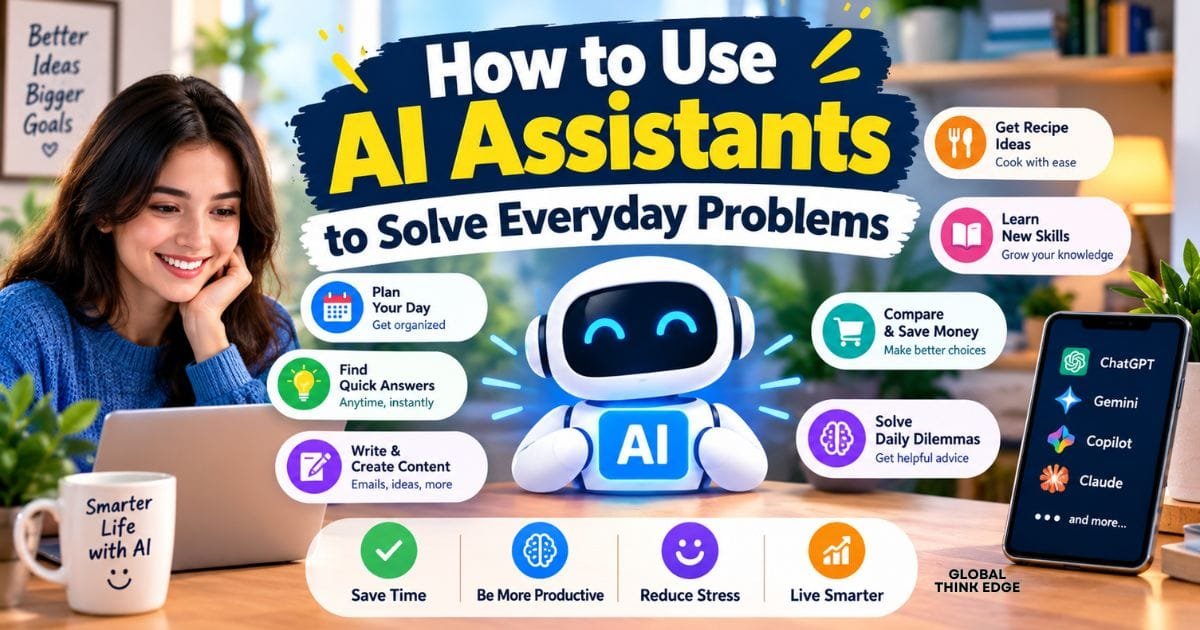
How to Use AI Assistants to Solve Everyday Problems
How to Use AI Assistants to Solve Everyday Problems. AI assistants can help you solve everyday problems by drafting messages, organizing your schedule, summarizing information, planning meals, managing tasks, and comparing options. You can get better results by explaining your goal clearly, sharing relevant context, and asking for practical steps. The key is to use AI as a helpful thinking partner while checking important information before acting on it.
You do not need technical skills to benefit from AI. Whether you want to save time at work, organize your personal life, or make a difficult decision, a well-written prompt can turn a confusing task into something more manageable.
What Are AI Assistants, and How Can They Help You?
AI assistants are digital tools that respond to your questions, generate content, explain information, and help you work through everyday tasks. You can interact with them using ordinary language instead of learning complicated commands or software.
For example, you can ask an AI assistant to rewrite an email, prepare a shopping list, explain a confusing bill, or create a simple weekly schedule. The assistant uses the information you provide to generate a response that fits your request.
Common uses include:
- Writing and improving messages
- Organizing daily activities
- Summarizing long documents
- Brainstorming solutions to problems
- Planning meals, trips, and budgets
- Learning unfamiliar subjects
- Comparing products or services
- Creating checklists and reminders
The most useful approach is to start with one specific problem. Instead of asking AI to manage your entire life, give it a clear task that you can review and complete.
1. Use AI Assistants to Improve Writing and Communication
You can use AI assistants to draft emails, polish messages, adjust your tone, and summarize lengthy information. They are especially helpful when you know what you want to say but struggle to express it clearly.
Draft and Polish Emails
Writing professional emails can take time, especially when you need to communicate a difficult message. AI can help you organize your thoughts and make your writing clearer without changing your intended meaning.
For example, you could prompt:
“Rewrite this email in clear, professional English. Keep it friendly, make my request specific, and avoid sounding demanding.”
You can use a similar approach for customer replies, work updates, appointment requests, and follow-up messages. Always review the final draft to ensure it accurately reflects your intentions.
Adjust the Tone of Difficult Messages
Sometimes, the challenge is not what you want to say but how you want the other person to receive it.
Ask your AI assistant to create several versions of the same message:
- Warm: Friendly and understanding.
- Balanced: Clear, respectful, and professional.
- Firm: Direct without being unnecessarily aggressive.
For example, if you need to set a boundary with someone, explain the situation and ask for a respectful message that communicates your limits. Review the suggestions and choose wording that sounds like you.
Summarize Long Emails and Documents
AI assistants can help you understand lengthy emails, reports, articles, and other documents more quickly. Depending on the tool, you may be able to paste the text or upload a supported file.
Try this prompt:
“Summarize this document in five bullet points. Identify the main message, important dates, decisions, action items, and anything that requires my response.”
Tools such as ChatGPT and NotebookLM can support different document and summarization workflows, depending on their current features and access settings.
For confidential documents, check your organization’s policies before uploading information to an external service.
2. Organize Your Daily Schedule With AI
You can use AI to turn a long list of responsibilities into a realistic daily plan. It can help you prioritize tasks, estimate how to divide your time, and leave room for unexpected interruptions.
Start by sharing the tasks you need to complete, their deadlines, and the time you have available.
For example:
“I have six tasks to finish today and five hours available. Help me prioritize them by urgency and importance. Include short breaks and leave 30 minutes for unexpected work.”
Your assistant can suggest an order, divide large tasks into smaller steps, and identify activities that might need to move to another day.
Create a Practical To-Do List
A useful to-do list should tell you what to do next rather than simply record everything you need to accomplish.
Ask AI to divide a large goal into manageable actions. If you need to prepare a presentation, for instance, your list might include researching the topic, outlining the slides, drafting the content, reviewing the design, and practicing the delivery.
You can also ask the assistant to separate tasks into three categories:
- Must complete today
- Should complete soon
- Can wait until later
This makes it easier to focus on the most important work instead of feeling overwhelmed by a long list.
Build Better Habits
AI can help you design simple routines for reading, exercise, learning, household chores, or personal projects.
Explain your current schedule and the habit you want to develop. Then ask for a realistic plan that starts small and fits your existing commitments.
For example, if you want to read more, you could request a 15-minute daily reading routine with a simple weekly progress checklist.
AI can suggest a routine, but it cannot guarantee that you will follow it. You still need a reliable calendar, reminder app, or task manager if you want automatic notifications.
3. Use AI to Simplify Meal Planning and Shopping
Meal planning becomes easier when you organize your meals around your available time, budget, ingredients, and dietary preferences.
Instead of searching through multiple recipes, explain what you have and ask your assistant to suggest suitable options.
Try this prompt:
“I have eggs, rice, tomatoes, onions, and potatoes. Suggest three affordable meals using these ingredients. Keep the preparation simple and provide a shopping list for anything else I need.”
You can also ask for a weekly meal plan, recipes with fewer ingredients, or a shopping list grouped by grocery section.
Reduce Food Waste
If you regularly forget ingredients in your refrigerator, AI can help you identify meals that use them before they expire.
Provide a list of available ingredients and their approximate expiration dates. Ask the assistant to prioritize items that need to be used first.
However, do not rely on AI to determine whether food is safe to eat. Check storage instructions, spoilage signs, and reliable food-safety guidance.
Plan Meals Around Your Budget
Share your approximate food budget, the number of people you are feeding, and any dietary requirements. Ask for several affordable meal options and a consolidated shopping list.
Treat the result as a starting point. Verify current prices, serving sizes, ingredient availability, and any nutritional claims before purchasing or following the plan.
4. Solve Everyday Problems With Step-by-Step Guidance
AI assistants are useful when you face a problem but do not know where to begin. They can help break a complicated situation into smaller steps, explain unfamiliar concepts, and suggest different approaches.
For example, suppose your computer is running slowly. You can ask:
“My Windows computer has become slow. Give me a beginner-friendly troubleshooting checklist, starting with safe and simple steps. Explain what each step does.”
The assistant might suggest checking available storage, reviewing startup applications, restarting the computer, and installing appropriate updates.
You can use the same method for organizing a cluttered room, preparing for an appointment, learning a new application, or troubleshooting a common household issue.
Ask for Explanations You Can Understand
If an explanation is too technical, ask the assistant to simplify it.
Useful prompts include:
- “Explain this in plain English.”
- “Give me an example from everyday life.”
- “Break this process into five beginner-friendly steps.”
- “Explain the difference between these two options.”
- “Tell me what I should check before proceeding.”
You can continue asking questions until the instructions make sense. However, verify guidance involving electrical work, repairs, health, legal matters, or other potentially dangerous situations through qualified professionals or authoritative sources.
5. Make Better Decisions With AI
AI assistants can help you compare options, identify trade-offs, and organize your thoughts when you need to make a decision. They are most useful when you provide clear criteria instead of asking for an unexplained recommendation.
Suppose you are choosing between two laptops. Tell the assistant your budget, intended use, preferred features, and any limitations.
Ask it to compare the options based on performance, battery life, portability, warranty, and total cost.
Create a Decision Matrix
A decision matrix helps you compare several choices using the same criteria.
For example, when comparing internet plans, you might evaluate monthly price, speed, data limits, reliability, and contract terms.
Ask AI to create a comparison table and identify the strongest option for your priorities. Check the latest prices and specifications independently before making a purchase.
Think Through Personal Decisions
AI can also help you examine everyday choices, such as how to divide your time between work and personal projects.
Ask it to list the advantages, disadvantages, potential risks, and unanswered questions for each option. You can then decide which factors matter most to you.
Do not treat AI’s recommendation as an objective answer. It may overlook important context or make incorrect assumptions. For significant financial, legal, medical, or personal decisions, use AI to organize your thinking rather than replace your judgment or expert advice.
6. Automate Repetitive Tasks With AI
You can save time by using AI to simplify tasks you perform repeatedly. Depending on the available tools, it may help generate templates, classify information, create summaries, or prepare content that you would otherwise write from scratch.
Useful examples include:
- Drafting weekly progress reports
- Creating meeting agendas
- Turning notes into action items
- Preparing reusable email templates
- Organizing brainstorming notes
- Formatting information into tables
- Generating checklists for recurring tasks
Create Reusable Prompts
If you ask for the same type of help regularly, save a prompt that describes your preferred format and requirements.
For example:
“Whenever I provide meeting notes, organize them into four sections: key decisions, action items, responsible people, and deadlines. If information is missing, mark it as unspecified instead of inventing details.”
A reusable prompt reduces repeated instructions and encourages consistent results.
Know the Difference Between Assistance and Automation
Generating a draft is not the same as completing a task automatically.
Some AI tools can connect with calendars, email services, spreadsheets, or task-management applications. Others only generate suggestions for you to copy and use.
Before enabling an integration, review its permissions and confirm which actions it can perform. Keep human approval for important messages, payments, account changes, and other consequential actions.
7. Use AI to Learn New Skills
You can turn an AI assistant into a learning partner by asking it to explain concepts, create practice exercises, and provide feedback on your work.
For example, if you want to improve your writing, ask for a short lesson on sentence structure followed by five exercises. After completing them, request feedback explaining what you did well and what needs improvement.
Build a Personalized Learning Plan
Tell the assistant what you want to learn, your current skill level, how much time you can spend, and your target date.
A useful prompt is:
“Create a four-week beginner learning plan for spreadsheet skills. I can study for 20 minutes a day. Include practical exercises, weekly goals, and a simple way to test my progress.”
You can use this method for language learning, basic coding, writing, digital marketing, and other practical subjects.
Check What You Learn
AI-generated explanations and quizzes can contain mistakes. Compare important information with textbooks, official documentation, reputable educational resources, or other reliable references.
For subjects requiring formal qualifications or professional competence, use AI as a supplement to structured training rather than as a substitute.
8. Write Better Prompts for More Useful Answers
The quality of your instructions often determines how useful an AI response will be. A vague request leaves the assistant to guess what you need, while a specific prompt gives it a clearer direction.
A practical prompt usually includes five elements:
- Goal: Explain what you want to accomplish.
- Context: Share the relevant background.
- Requirements: State your constraints and preferences.
- Format: Specify whether you want steps, bullets, a table, or a draft.
- Limitations: Explain what the assistant should avoid or verify.
For example, instead of writing “Help me organize my day,” try:
“I work from home and have four hours available this afternoon. I need to finish a report, reply to five emails, and prepare dinner. Put these tasks in a realistic schedule, prioritize the report, and include a short break.”
This prompt gives the assistant enough information to produce a more relevant plan.
Improve Weak Responses
You do not need to start a new conversation whenever the first answer misses the point. Give specific feedback and ask for a revision.
For example:
- “Make the instructions shorter and easier to follow.”
- “Keep the same meaning but use a friendlier tone.”
- “Include a low-cost alternative.”
- “Explain the risks and limitations.”
- “Ask me questions if important details are missing.”
Treat prompting as a conversation. You can refine the answer until it better fits your needs, then verify the details that matter.
9. Protect Your Privacy When Using AI Assistants
AI assistants can make everyday tasks easier, but you should be careful about the information you share with them.
Avoid entering passwords, banking credentials, private identification numbers, confidential business information, or other sensitive details unless you have verified that the tool and its data-handling arrangements are appropriate for that use.
Before uploading a document, consider whether the assistant needs the complete file. You may be able to remove names, account numbers, addresses, or other identifying information first.
Follow these practical precautions:
- Review the service’s privacy and data-retention settings.
- Check whether uploaded content may be used to improve its models.
- Use approved tools for confidential workplace information.
- Verify the recipient and content before sending AI-drafted messages.
- Avoid granting unnecessary access to your accounts or files.
- Review important actions before approving them.
Privacy settings and data practices differ between services and account types. Read the current terms for the specific tool you use rather than assuming every AI assistant handles information in the same way.
10. Recognize the Limitations of AI Assistants
AI assistants can generate convincing answers that are incomplete, outdated, or incorrect. They may misunderstand your instructions, overlook important context, or provide details that sound factual but have not been verified.
You can reduce these risks by asking for sources, checking important claims against original references, and requesting clarification when the answer seems uncertain.
Use extra caution when dealing with:
- Medical symptoms or treatment decisions
- Legal rights and contractual obligations
- Investments, taxes, and major financial decisions
- Safety-critical repairs or technical procedures
- Current prices, policies, and breaking news
- Private or confidential information
For low-risk tasks, such as drafting a shopping list or organizing your schedule, a quick review may be sufficient. For high-impact decisions, independent verification and qualified advice are much more important.
The goal is not to avoid AI because it can make mistakes. It is to understand where it helps, where it falls short, and how much verification a particular task requires.
A Simple Daily Routine for Using AI
You can make AI more useful by incorporating it into a few existing activities instead of constantly searching for new ways to use it.
| When | How AI Can Help |
| Morning | Organize your priorities and create a realistic task list. |
| During work | Draft messages, summarize notes, and break down complex tasks. |
| Before shopping | Compare options and prepare a shopping list. |
| During learning | Explain unfamiliar concepts and generate practice questions. |
| Evening | Review completed tasks and prepare for tomorrow. |
You do not need to follow every step every day. Choose the activities that solve actual problems in your routine and ignore features that do not provide meaningful value.
Final Verdict
You can use AI assistants to solve everyday problems by giving clear instructions, breaking complicated tasks into smaller steps, and reviewing the results before taking action. They can help you communicate more effectively, manage your schedule, plan meals, learn new skills, compare options, and reduce repetitive work.
Start with one task that regularly consumes your time. Explain your goal, provide relevant context, and ask for a practical result. As you learn which prompts work best, you can build a simple routine that makes AI a useful part of your daily life without relying on it for every decision.
