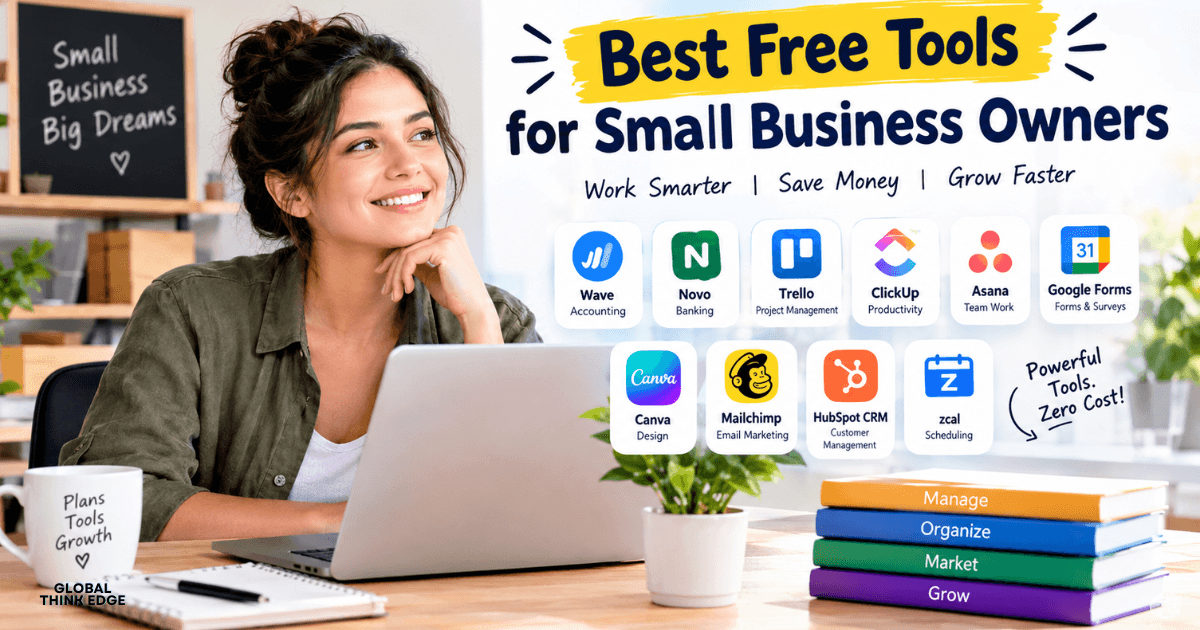
Best Free Tools for Small Business Owners: 12 Quick Options
The best free tools for small business owners help you manage finances, organize projects, attract customers, and save time without increasing your operating costs. You can start with Wave for invoicing, Trello or ClickUp for project management, HubSpot CRM for customer relationships, and Canva for marketing. Most offer free plans, although some features require payment as your business grows.
If you are starting a business on a limited budget, you do not need to purchase expensive software immediately. You can combine a few reliable free tools to handle everyday tasks, improve productivity, and build a stronger business foundation.
What Are the Best Free Tools for Small Business Owners?
The best tools depend on your daily responsibilities and business goals. You can choose separate tools for accounting, project management, scheduling, marketing, and customer management instead of paying for an all-in-one platform.
Here are 12 free tools worth considering.
| Tool | Best for | Free-plan benefit |
| Wave | Accounting and invoicing | Basic accounting and invoices |
| Novo | Business banking | Business checking account, subject to eligibility |
| Trello | Task organization | Visual boards and task tracking |
| ClickUp | Team productivity | Tasks, documents, and collaboration |
| Asana | Project management | Task and project coordination |
| zcal | Appointment scheduling | Free scheduling links |
| Tally | Client intake forms | Forms and submissions within fair-use guidelines |
| Google Forms | Surveys and questionnaires | Simple online forms |
| Canva | Graphic design | Templates and basic design tools |
| Mailchimp | Email marketing | Limited free marketing features |
| HubSpot CRM | Customer management | Contact management and sales tracking |
| ChatGPT | Writing and brainstorming | Free access with usage limits |
Always check the current plan details before signing up because free features, eligibility, and usage limits can change.
1. Wave: Free Accounting and Invoicing
Wave is a useful starting point if you need to create invoices, track basic financial records, and manage your bookkeeping without paying for a full accounting platform.
With its free Starter plan, you can create invoices and estimates, record bookkeeping information, and manage customers. Online payment processing may involve transaction fees, while additional features such as automatic bank transaction imports and receipt scanning require a paid plan. Wave’s official pricing page
Best for: Freelancers, consultants, and small service businesses.
Use Wave to organize your income and expenses from the beginning. Keeping accurate records helps you understand your cash flow and prepare for tax reporting. Check whether its banking and payment integrations support your country before relying on them.
2. Novo: Business Banking for Startups
Novo offers an online business checking account designed for small businesses and entrepreneurs who prefer digital banking.
You can use business banking to separate personal and business transactions, monitor deposits, and organize money for operating expenses. Account eligibility, banking services, and availability depend on your location and business requirements.
Best for: Eligible US-based small businesses that want digital business banking.
Novo is a banking option rather than a replacement for accounting software. You may still need a separate tool to prepare invoices, categorize expenses, and generate financial reports. Verify the current account terms before opening an account.
3. Trello: Simple Project Management
Trello helps you organize work using boards, lists, and cards. You can create a board for each project, divide work into stages, and move tasks as you complete them.
For example, if you run a content website, you can create lists called Ideas, Writing, Editing, and Published. Every article becomes a card containing its deadline, notes, and assigned tasks.
Best for: Solo entrepreneurs, freelancers, and small teams that prefer visual task management.
Trello’s free plan is a practical choice when you want to see what needs attention without learning a complicated project management system.
4. ClickUp: Tasks and Team Collaboration
ClickUp combines task management, project organization, documents, and collaboration features in one workspace. Its Free Forever plan gives you a way to start organizing business activities without an initial software subscription.
You can use it to create task lists, assign responsibilities, document procedures, and track deadlines. It can also help you manage marketing campaigns, product launches, and customer projects.
Best for: Small businesses managing several projects or recurring workflows.
Start with only the features you need. Too many dashboards and custom workflows can make a simple business process harder to manage.
5. Asana: Organize Projects and Deadlines
Asana helps you coordinate tasks, deadlines, and responsibilities. It is especially useful when several people contribute to the same project.
You can create a marketing project, assign tasks to team members, and monitor progress without depending entirely on email conversations. Its free offering is designed for basic project coordination, but team size and advanced features depend on the current plan.
Best for: Small teams that need clear ownership of tasks.
Choose Asana if you prefer structured project tracking. If you mainly want a simple visual board, Trello may be easier to learn.
6. zcal: Free Appointment Scheduling
zcal lets you share scheduling links so customers can choose suitable meeting times without sending multiple emails.
You can connect supported calendars, create meeting links, and use scheduling features such as reminders and meeting polls. Its Free Forever plan includes many individual scheduling features, while advanced team capabilities require a paid plan. See zcal’s official pricing
Best for: Consultants, coaches, freelancers, and service providers.
Add a scheduling link to your website, email signature, or customer messages. This makes it easier for potential clients to book a consultation.
7. Tally: Client Forms and Surveys
Tally is a form builder that helps you collect information from customers. You can use it to create client intake questionnaires, feedback forms, service requests, and simple surveys.
Its free plan supports unlimited forms and submissions within its fair-use guidelines. Some advanced branding and team features are paid. Check Tally’s official features
Best for: Freelancers, agencies, online businesses, and service providers.
For example, a marketing agency can use Tally to collect a client’s business goals, budget, website address, and preferred services before the first meeting.
8. Google Forms: Quick Questionnaires and Data Collection
Google Forms is a straightforward option for collecting information without building a complicated website form.
You can create surveys, registration forms, customer feedback questionnaires, and internal employee forms. Responses can be organized for analysis, and supported workflows can connect form data with Google Sheets.
Best for: Small businesses that need simple forms and surveys.
Use Google Forms when you need a quick, practical solution. Choose Tally if you want more flexibility in the presentation of client intake forms.
9. Canva: Free Graphic Design and Marketing
Canva helps you create marketing graphics without professional design software. You can use templates to prepare social media posts, flyers, presentations, promotional materials, and basic branding assets.
You can maintain a consistent visual style by using similar colors, fonts, and layouts across your marketing channels.
Best for: Small business owners who manage their own marketing.
For example, you can create a week’s worth of social media graphics and promotional posts in one session. Some templates, stock assets, and advanced tools require a paid subscription, so check each item’s licensing and availability.
10. Mailchimp: Email Marketing for Small Businesses
Mailchimp helps you manage email marketing campaigns and newsletters. You can use it to communicate with subscribers, share business updates, and promote products or services.
Its free offering is limited by current audience, sending, and feature allowances. Review the latest plan restrictions before importing a large contact list or planning a campaign.
Best for: Startups and small businesses building an email audience.
Start by collecting email addresses with permission, sending useful content, and measuring engagement. Avoid purchasing email lists or sending unsolicited marketing messages.
11. HubSpot CRM: Customer and Sales Management
HubSpot CRM helps you organize customer contacts, track deals, and monitor sales opportunities. Instead of keeping every lead in a spreadsheet, you can store customer information and follow each opportunity through your sales pipeline.
HubSpot currently offers free CRM tools with no expiration date. Its official website lists a free offering for up to two users and 1,000 contacts, with additional limits applying to particular features. Explore HubSpot’s free CRM
Best for: Small businesses that need a structured way to manage leads and customer relationships.
You can record conversations, track follow-ups, and identify which prospects need attention. As your business grows, review whether you need paid automation, reporting, or team features.
12. ChatGPT: Writing and Brainstorming Support
ChatGPT can help you generate business ideas, draft emails, outline marketing content, summarize information, and prepare customer communication.
For example, you can use it to brainstorm product descriptions, create a customer survey, draft a social media calendar, or turn rough notes into a business procedure.
Best for: Entrepreneurs who want help with routine writing and planning.
Free access has usage limits, and you should review important outputs before using them. Avoid entering confidential customer details, passwords, payment information, or sensitive business records.
How Do You Choose the Right Free Business Tools?
You do not need all 12 tools. Choose software based on the problems you face most often.
If you are working alone
Start with Wave for bookkeeping, Trello for tasks, Canva for marketing, and Google Forms for basic data collection. Add scheduling software if you regularly meet clients.
If you manage a small team
Consider ClickUp or Asana for shared work, HubSpot CRM for leads, and Tally for client intake. Select one primary project management tool to avoid duplicating tasks.
If you run an online business
Combine a suitable accounting tool with Canva, Mailchimp, and HubSpot CRM. Use analytics from your website and marketing platforms to understand which activities attract customers.
If you provide professional services
Wave, zcal, Tally, and HubSpot CRM can help you manage invoices, appointments, client information, and sales opportunities. Check regional availability before choosing financial services.
What Are Some Common Software Tools for Small Businesses?
Common software tools fall into several categories:
- Accounting software: Helps you record income, expenses, and invoices.
- Project management software: Organizes tasks, deadlines, and team responsibilities.
- Customer relationship management software: Tracks leads, customers, and sales opportunities.
- Marketing software: Supports email campaigns, social media content, and customer outreach.
- Scheduling software: Allows clients to book appointments.
- Form builders: Collect customer information, feedback, and registrations.
You should select tools that solve real operational problems rather than subscribing to every popular platform.
Is There a 100% Free CRM?
Yes. Some CRM platforms provide free plans that do not expire, although their features and usage limits may be restricted.
HubSpot CRM is one option. Its free tools include contact management and deal tracking, with limits on users, contacts, and specific capabilities. You can begin with the free plan and consider upgrading only when you need additional functionality.
A free CRM is most useful when you consistently record customer information, update deal stages, and follow up with prospects.
Which CRM Is Completely Free?
There is no single CRM that is best for every business. HubSpot offers a free CRM plan, while other providers may offer free tiers or open-source software that you can host yourself.
Before choosing, compare contact limits, user access, sales pipelines, integrations, data exports, and the cost of advanced features.
If you are a beginner, prioritize a tool that you can use consistently without spending hours maintaining it.
Is HubSpot CRM Truly Free?
Yes, HubSpot offers a free CRM edition without an expiration date. However, not every HubSpot feature is free. Advanced automation, expanded functionality, and certain customization options may require a paid subscription.
Check the current plan details before depending on a specific feature for your business workflow.
Does Microsoft 365 Have a CRM Tool?
Microsoft 365 includes productivity applications such as Outlook, Excel, and Teams, but a Microsoft 365 subscription does not automatically include the full Dynamics 365 CRM platform.
Microsoft Dynamics 365 offers separate business applications for sales and customer management. You can use Microsoft 365 applications to organize customer information manually, but a dedicated CRM is generally better when you need structured sales pipelines and customer records.
How Much Does Microsoft CRM Cost?
Microsoft CRM pricing depends on the Dynamics 365 application, subscription type, and number of users. Sales and customer service products have different plans and capabilities.
Because pricing changes, check Microsoft’s official Dynamics 365 pricing page before budgeting for a subscription. If your business only needs basic contact and deal tracking, compare the cost with free CRM options first.
Which CRM Is Best for Beginners?
HubSpot CRM is a sensible starting point for many beginners because it offers contact management and sales tracking in a browser-based platform.
However, the best CRM depends on how you sell. If you only have a handful of customers, a spreadsheet may be sufficient initially. If you manage many leads or recurring sales conversations, a dedicated CRM can help you stay organized.
Can ChatGPT Make a CRM?
ChatGPT can help you plan a CRM, design its data fields, write code, create spreadsheet templates, or outline an automated workflow. It does not automatically provide a complete, secure, production-ready CRM simply because you request one.
If you need a basic system, start with a spreadsheet containing customer names, contact details, lead status, last contact date, and next follow-up. For sensitive customer data, permissions, backups, and security controls are important. A dedicated CRM may be a better choice than building a system from scratch.
What Business Can You Start With $0?
You can start certain service-based businesses with little or no upfront spending if you already have the necessary equipment and skills. Examples include freelance writing, virtual assistance, social media management, tutoring, and basic graphic design.
You may still face costs for internet access, transportation, registration, payment processing, or specialized equipment. Starting with $0 is a goal rather than a guarantee.
Use free tools to create a simple portfolio, communicate with potential clients, track leads, and manage your first projects.
What Is the Cheapest Business to Start With?
Service businesses are often among the cheapest to start because you can sell your existing skills without purchasing inventory or renting commercial premises.
Examples include freelance writing, consulting, tutoring, and virtual assistance. Your actual startup cost depends on licensing requirements, equipment, local regulations, and how you find customers.
Before launching, list the essential expenses and confirm that you can legally provide the service in your location.
What Is the Best Side Hustle to Start With?
The best side hustle is one that matches your existing skills, available time, and access to customers. Freelancing, tutoring, virtual assistance, and digital services can be practical starting points when you already have the required skills.
Choose one service, identify a specific customer group, and test demand before investing money in additional tools or training.
What Is the Highest-Paid Side Hustle?
There is no universally highest-paid side hustle. Earnings depend on your expertise, demand, pricing, experience, and ability to acquire customers.
Specialized consulting, software development, and certain professional freelance services can command high rates, but they usually require relevant skills and a track record. Treat income claims carefully and evaluate realistic costs as well as potential revenue.
What Business Makes $1,000 a Day?
Some businesses can generate $1,000 in daily revenue, but that figure is not guaranteed profit or a typical outcome for a new business.
For example, an agency might reach that revenue level through several client contracts, while an online store might generate it through multiple product sales. Expenses, refunds, taxes, and customer acquisition costs determine how much you actually keep.
Focus on validating demand and building repeatable sales rather than expecting immediate daily earnings.
What Is the Best Way to Earn $1,000 Per Day?
There is no guaranteed method to earn $1,000 per day. Reaching that level generally requires a valuable offer, a reliable customer base, strong sales, and a business model that can support the target.
If you are starting from scratch, set smaller milestones: secure your first customer, earn your first $100, and build consistent monthly revenue. Use free tools to reduce administrative work while concentrating on delivering value.
What Business Has a 90% Success Rate?
No general business category can reliably promise a 90% success rate. Business survival depends on factors such as industry, location, funding, management, market demand, and the period being measured.
Instead of relying on a headline percentage, research business survival data for your industry and region. Keep startup costs manageable, test your offer, and maintain accurate financial records.
What Business Has the Lowest Failure Rate?
There is no universally established business type with the lowest failure rate in every market and period.
A business with low fixed costs, steady customer demand, and manageable operating requirements may be easier to sustain than one requiring substantial debt or inventory. However, careful planning does not eliminate risk.
Validate demand before making major investments and monitor cash flow from the beginning.
Is $5,000 Enough to Start a Business?
Yes, $5,000 may be enough to launch some home-based or service businesses, especially if you already own a computer and other necessary equipment.
You could use the budget for registration, essential equipment, a basic website, marketing, insurance, and working capital. Your actual needs depend on your business model and location.
Prepare a budget that separates one-time setup costs from monthly expenses, and keep some money available for unexpected costs.
What Are the 7 Types of Business?
The phrase can refer to different classifications. A common way to categorize businesses by legal structure in the United States is:
- Sole proprietorship
- Partnership
- Limited liability company (LLC)
- Corporation
- S corporation tax election
- Nonprofit corporation
- Cooperative
These categories are not all equivalent legal forms: an S corporation is generally a tax status, and rules vary by jurisdiction. Other classifications group businesses by industry, ownership, or operating model.
Choose a structure after considering liability, taxes, ownership, and registration requirements.
Which One Is Better, LLC or DBA?
An LLC and a DBA serve different purposes, so neither is automatically better.
An LLC is a legal business structure that can provide liability protection when properly maintained. A DBA, or “doing business as” name, allows a business to operate under a name different from its legal name. A DBA does not, by itself, create a separate legal entity or liability protection.
If you want liability separation, consider whether an LLC is appropriate for your circumstances. If you only need a different business name, a DBA may be sufficient. Check your local rules before registering.
How Do You Run a Small Business Successfully?
You run a small business more effectively by understanding your customers, controlling expenses, delivering consistent service, and tracking performance.
Start with these steps:
- Define your offer: Explain what you sell and who needs it.
- Track your money: Record income, expenses, invoices, and payments.
- Organize your work: Set deadlines and prioritize important tasks.
- Manage customer relationships: Follow up with prospects and existing clients.
- Promote consistently: Use suitable marketing channels to reach your audience.
- Review performance: Monitor sales, cash flow, customer feedback, and operating costs.
- Improve gradually: Invest in paid tools only when they solve a clear problem.
Free software can support these activities, but your results depend on how effectively you use it.
Final Verdict: Which Free Business Tools Should You Start With?
If you want to keep costs low, start with three or four tools that address your biggest needs. Use Wave for basic accounting where available, Trello for organizing work, Canva for marketing, and HubSpot CRM for customer management. Add zcal, Tally, or Google Forms when you need scheduling and client data collection.
You do not need a complicated software stack to build a successful small business. Start with free plans, learn the tools you choose, and upgrade only when your workload or business requirements justify the expense.

Pingback: Best Tools for Entrepreneurs: The Stack I Would Build Today