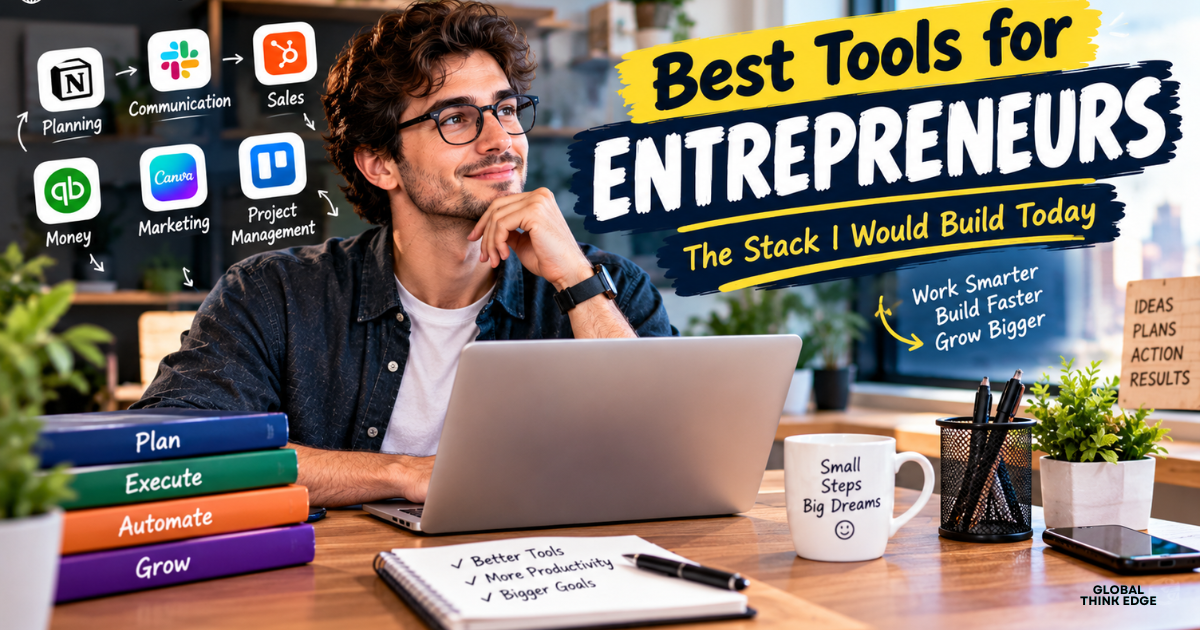
Best Tools for Entrepreneurs: The Stack I Would Build Today
By Global Think Edge,
When I first started working for myself, I thought hustle alone would carry me. It did not. I lost track of tasks, forgot to follow up with leads, and spent entire evenings copying data from one place to another. Once I started using the right apps, everything changed. In this guide, I am sharing the best tools for entrepreneurs that I would pick if I were starting from scratch today, and I will explain why each one earns its place in a lean startup software stack.
Whether you work alone or with a small team, you do not need fifty subscriptions. You need a handful of reliable tools that cover planning, communication, sales, money, and marketing. Let me walk you through them.
Why the Right Tools Matter for Entrepreneurs
Every entrepreneur has the same limited resource: time. Business productivity apps will not build your company for you, but they remove the repetitive work that eats your day. When your tasks, clients, invoices, and messages live in the right places, you make faster decisions and feel far less stressed.
I also learned that good tools create consistency. A clear system means that you can step away for a week and nothing falls apart. That is a big deal when you are the founder, the marketer, and the accountant all at once.
Best Organizational Tools for a Solo Entrepreneur
If you work alone, organization is your biggest hidden challenge. There is no manager, no colleague reminding you of deadlines, and nobody to catch mistakes. These are the best organizational tools for a solo entrepreneur, and they are the ones I rely on to keep my work in order.
Notion: Your All-in-One Digital Workspace
Notion is the closest thing I have found to a complete digital workspace. I use it for roadmaps, meeting notes, Standard Operating Procedures (SOPs), and an internal knowledge base. Because it is modular, you can start with a simple to-do page and slowly grow it into a full company wiki.
My favorite habit is writing an SOP the second time I do any task. Next time, I just follow my own checklist, and if I ever hire help, I already have training material ready.
Asana and Trello: Project Management Software for Deadlines
When it comes to project management software, Asana and Trello are the two names I recommend most. Trello uses visual boards with cards, which makes it perfect if you like to see your workflow at a glance. Asana is a little more structured, with deadlines, assignments, and milestones, so it suits projects with several moving parts.
For a solo founder, I usually suggest starting with Trello because it is quick to learn. If you later add team members or need to track product milestones, moving to Asana feels natural.
Google Workspace: The Foundation of Everyday Work
Google Workspace covers Docs, Sheets, Drive, Meet, and Gmail in one place. I treat it as the backbone of my setup. Everything is stored in the cloud, you can edit documents in real time with others, and you can reach your files from any device. If you only choose one tool from this entire list, this is a strong candidate.
Communication and Team Collaboration Tools
Good communication keeps small teams moving. Even if you work solo today, you will likely talk to freelancers, clients, or partners soon. These team collaboration tools make that smooth.
Slack for Real-Time Conversations
Slack organizes messaging into channels, so conversations stay on topic instead of getting buried in email threads. You can share files, set reminders, and connect other apps. I like creating separate channels for each project, which keeps discussions clean and searchable.
Zoom for Virtual Meetings
Zoom handles video conferencing and virtual team check-ins. It is simple, stable, and almost everyone already knows how to use it, which matters when you are dealing with clients who are not tech-savvy. A short weekly video call can solve problems that would take twenty messages to untangle.
CRM and Sales Tools Every Entrepreneur Needs
If you sell anything, you need to know who your leads are and what happens next with each one. I used to track this in my head and in scattered notes, and I definitely lost opportunities because of it.
HubSpot CRM for Leads and Pipeline Management
HubSpot CRM is a friendly small business CRM that helps you track leads, manage your sales pipeline, and send automated nurturing emails. You can see where every prospect stands, which makes follow-ups much easier. It is a great way to turn casual conversations into organized opportunities.
HoneyBook for Client Flow
HoneyBook is ideal for service-based entrepreneurs such as consultants, designers, and freelancers. It brings proposals, contracts, scheduling, and invoices into one client flow. Instead of juggling four different apps, you guide a client from the first inquiry to the final payment in one place.
Finance and Accounting Tools for Entrepreneurs
Money management is the part many founders avoid, but it is also the part that keeps the business alive. Luckily, online invoicing and bookkeeping tools have become easy enough for non-accountants.
QuickBooks Online for Bookkeeping
QuickBooks Online automates bookkeeping, tracks expenses, and generates invoices. Connecting your bank account means transactions are categorized for you, and tax time becomes far less painful. I strongly suggest setting up your books from day one rather than trying to fix months of mess later.
Stripe and PayPal for Getting Paid
Stripe and PayPal are merchant payment processors that let you accept online payments for products and subscriptions. Stripe is flexible and developer-friendly, while PayPal is widely trusted by customers who like a familiar checkout. Offering both can increase the chances that a buyer completes the purchase.
Marketing, Design, and Automation Tools
You can build a great product, but people still have to find it. These tools help you promote your business without hiring a full creative team.
Canva for Design
Canva is a template-based design platform for social media graphics, presentations, and brand assets. I have created logos, banners, and lead magnets in it without any design training. Saving your brand colors and fonts keeps everything looking consistent.
Mailchimp and Flodesk for Email Marketing
Email marketing platforms like Mailchimp and Flodesk let you build subscriber lists and run automated campaigns. Mailchimp offers a broad feature set, while Flodesk is loved for its beautiful, simple email designs. Email remains one of the most reliable ways to reach people you own the relationship with.
Zapier for No-Code Automation
Zapier is a no-code automation tool that connects your web apps and triggers workflows between them. For example, when someone fills out a form, Zapier can add them to your CRM, send a welcome email, and notify you in Slack. This kind of workflow automation saves hours every month and reduces human error.
Best AI Business Tools for Entrepreneurs in 2026
AI has moved from a novelty to an everyday assistant. The best AI business tools for entrepreneurs in 2026 are not about replacing you. They are about handling the first draft, the repetitive task, and the tedious research so that you can focus on judgment and relationships.
AI for Content and Design
AI writing and design assistants can produce outlines, social captions, email drafts, and quick visuals in minutes. Many of the tools above, including Canva and Notion, now include built-in AI features. I always edit the output and add my own voice, because the human touch is what makes content feel trustworthy.
AI for Automation and Customer Support
AI chat assistants can answer common customer questions, summarize long email threads, and help sort leads. When you pair them with Zapier, you can build smart workflows that sort inquiries, draft replies, and route important messages to you. Start small with one repetitive task and expand from there.
AI for Research and Decision-Making
AI assistants are also helpful for market research, competitor summaries, and brainstorming. I use them to get a quick overview of a topic, then verify the important details myself. Treat AI as a fast, tireless assistant rather than a final authority.
How to Choose the Best Tools for Entrepreneurs
With so many options, picking the best tools for entrepreneurs can feel overwhelming. Here is the simple approach I follow:
- Start with the problem, not the tool. Decide what is slowing you down, then look for software that fixes that exact issue.
- Check integrations. Tools that connect with each other save you from endless manual work.
- Mind your budget. Many apps have free plans. Upgrade only when you genuinely hit a limit.
- Consider the learning curve. A simpler tool you use daily beats a powerful one you abandon.
- Review every few months. Your needs change as your business grows, so your stack should too.
A Simple Starter Stack I Recommend
If you want a quick starting point, here is the lean setup I would suggest:
- Organization: Notion and Trello
- Core apps: Google Workspace
- Communication: Slack and Zoom
- Sales: HubSpot CRM or HoneyBook
- Finance: QuickBooks Online and Stripe
- Marketing: Canva, Mailchimp, and Zapier
That is enough to run a surprisingly professional operation without drowning in subscriptions.
Final Thoughts
The best tools for entrepreneurs are the ones that fit the way you actually work. Start with a few, learn them well, and add more only when a real need appears. Good tools will not replace effort, but they will give you back time, clarity, and peace of mind, and that is worth more than any shiny feature.
I hope this guide helps you build a stack that supports your goals. Try one or two tools this week and see how much lighter your workload feels.
Frequently Asked Questions
What are the best tools for entrepreneurs just starting out?
I suggest beginning with Google Workspace, Notion, Trello, Canva, and a payment processor like Stripe. They are affordable, easy to learn, and cover the basics of a startup.
What is the best organizational tool for a solo entrepreneur?
Notion is my top pick because it combines notes, tasks, SOPs, and roadmaps in one digital workspace. Pair it with Trello if you prefer visual boards.
Do I need AI tools for my business in 2026?
You do not need them, but they can save significant time on writing, research, and repetitive tasks. Start with one use case and expand when you see results.
Are free tools good enough for a small business?
Often, yes. Many tools offer generous free plans. Upgrade only when you outgrow the limits or need advanced features.
