Google Block Breaker: How to Play the Hidden Google Game
What Is Google Block Breaker?
Google Block Breaker is a playable arcade game built into Google Search. It uses the classic brick-breaker format where you move a paddle, bounce a ball, and destroy blocks.
The game appeared in Google Search in January 2025. It is similar to the classic Atari Breakout concept but has its own Google-style design, power-ups, and gameplay features.
You do not need to download a separate game to play the Google Search version.
How to Play Google Block Breaker
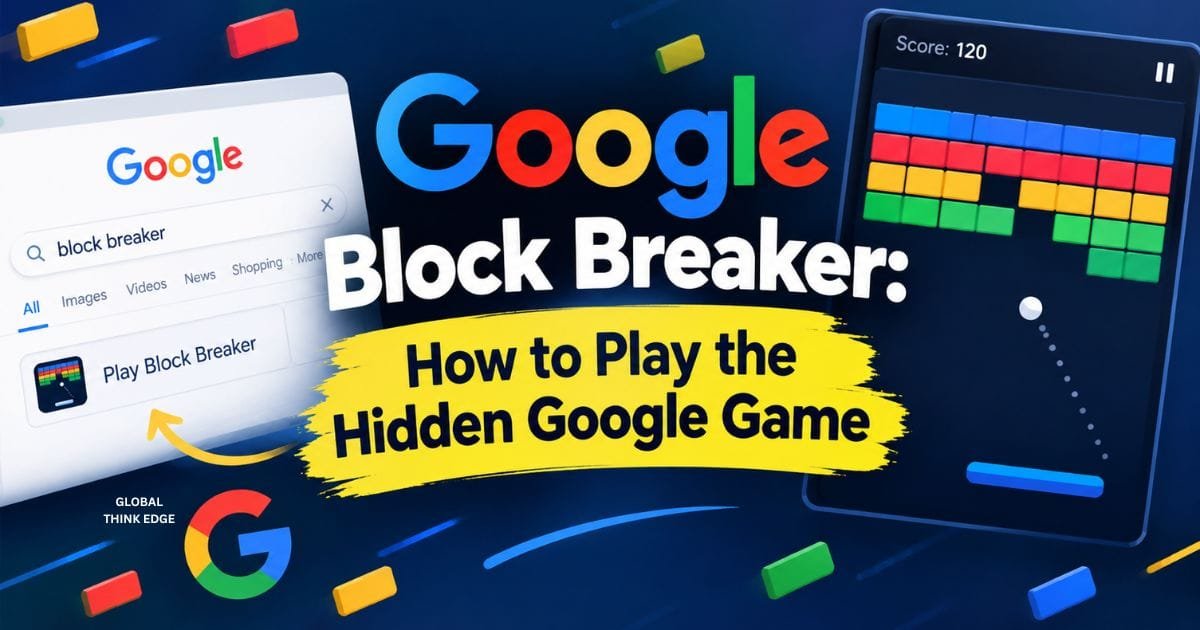
To play Google Block Breaker, search for “Block Breaker” on Google.
Follow these steps:
- Open Google Search.
- Type Block Breaker.
- Look for the interactive game card.
- Click or tap Play.
- Move the paddle to keep the ball in play.
- Break the blocks and continue through the rounds.
Google’s version is available through desktop and mobile web, as well as the Google app on Android and iOS.
If the game does not appear, its availability may differ by Search experience, device, or region.
What Is the Goal of Google Block Breaker?
The goal is to break all the blocks while keeping the ball from falling.
You control a paddle at the bottom of the screen. The ball moves around the game area and hits the blocks above.
Each successful hit removes blocks and helps you progress. After clearing a round, more blocks appear and the challenge increases.
The basic strategy is simple: watch the ball, predict where it will land, and move the paddle into position.
What Controls Does Google Block Breaker Use?
Desktop players can use the left and right arrow keys to move the paddle. Mobile players can control the paddle through touch.
The controls are simple, so you do not need a controller or gaming experience.
Desktop Controls
Use the Left Arrow and Right Arrow keys to move the paddle.
A wider browser window can make it easier to track the ball, especially when it moves toward the edges.
Mobile Controls
On mobile, move the paddle through touch interaction.
The mobile version works well for quick games because you only need your phone and browser or the Google app.
What Power-Ups Are in Google Block Breaker?
Google Block Breaker includes special blocks and power-ups that change the gameplay.
Reported features include:
- Extra balls
- Longer paddle
- TNT effects
- Dual blasters
- Extra lives
Some blocks are harder to break, while special blocks can activate useful effects.
Power-ups can help you clear the board faster, but you should not risk losing the ball just to collect one.
What Do the Blocks Look Like?
The game uses Google’s familiar blue, red, yellow, and green colors.
The initial layout contains four rows of blocks. After a round is cleared, additional rows appear, making the game harder as you progress.
Some blocks have special functions, so the board is not simply a collection of identical bricks.
Is Google Block Breaker the Same as Atari Breakout?
No. Google Block Breaker is not the original Atari Breakout game.
It uses the same basic brick-breaking idea: a paddle, a bouncing ball, and blocks.
The Google version adds its own visual style and features. It is best understood as a modern Search game inspired by the classic Breakout formula.
Google also previously offered an Atari Breakout Easter egg in Google Images, which is a different experience from the current Search game.
Is Google Block Breaker a Google Doodle?
No. Google Block Breaker is a Google Search Easter egg, not a traditional Google Doodle.
A Google Doodle usually changes the Google homepage artwork to highlight a person, event, holiday, or cultural occasion.
Google Block Breaker instead appears as an interactive game in Search results after a relevant query. Reporting from its January 2025 launch describes it as a new Search game and Easter egg.
This distinction is useful because many websites incorrectly label every Google game as a Doodle.
Is Google Block Breaker Free?
Yes. The Google Search version does not require a separate purchase or game download.
You can access it through Google Search when the interactive game result is available.
Be careful with websites that use names such as “Google Block Breaker.” Many unrelated games use the same or similar wording.
Can You Play Google Block Breaker on Mobile?
Yes. Google Block Breaker supports mobile play.
You can access the game through mobile web or the Google app on supported devices. Touch controls let you move the paddle while the ball is in play.
The game does not require a dedicated gaming app.
Google Block Breaker vs. Other Block Breaker Games
Google Block Breaker and third-party Block Breaker games are not necessarily the same game.
| Feature | Google Block Breaker | Third-Party Games |
| Main access | Google Search | Separate website or app |
| Download required | No | Depends on the game |
| Developer | Different developers | |
| Gameplay | Brick-breaking arcade | Varies |
| Power-ups | Google-specific | Depends on the version |
| Branding | Google Search | Independent branding |
A third-party website may advertise features such as 100 or 150 levels. Those features should not automatically be attributed to Google’s Search version.
How to Get a Higher Score
The best strategy is to focus on ball control instead of chasing every power-up.
Use these simple tips:
- Watch the ball. Predict where it will reach the paddle.
- Stay near the center. This gives you room to move left or right.
- Use small movements. Large paddle movements can make you lose control.
- Use paddle edges carefully. They can change the ball’s direction.
- Do not chase every power-up. Missing the ball is worse than missing a bonus.
- Clear difficult blocks early. This can make later shots easier.
- Stay focused when the ball speeds up. Later rounds require faster reactions.
The most important rule is simple: keeping the ball alive matters more than breaking one extra block.
Why Is Google Block Breaker Popular?
Google Block Breaker is popular because it is quick, simple, and easy to access.
Players can start it directly from Google Search without installing a traditional arcade game.
Its Breakout-style gameplay also creates a strong nostalgia factor. The basic controls are easy to understand, but later rounds require better timing and reactions.
That combination makes it suitable for short casual gaming sessions.
Is Google Block Breaker Still Available?
Google Block Breaker was introduced in January 2025 as a Google Search game. Current reporting identifies it as a Search-based interactive game available across desktop and mobile platforms.
However, Google can change or remove Search features. If you cannot find the game, search for Block Breaker directly on Google rather than relying on an old third-party link.
Final Verdict
Google Block Breaker is a simple brick-breaking game built into Google Search. You move a paddle, keep the ball in play, destroy colorful blocks, and use special power-ups to progress.
It is different from the old Atari Breakout Easter egg and should not be confused with third-party Block Breaker websites.
For the Google version, the simplest method is to search “Block Breaker” on Google and use the interactive game result when it appears.
That gives you the original Google Search experience without downloading a separate game.
