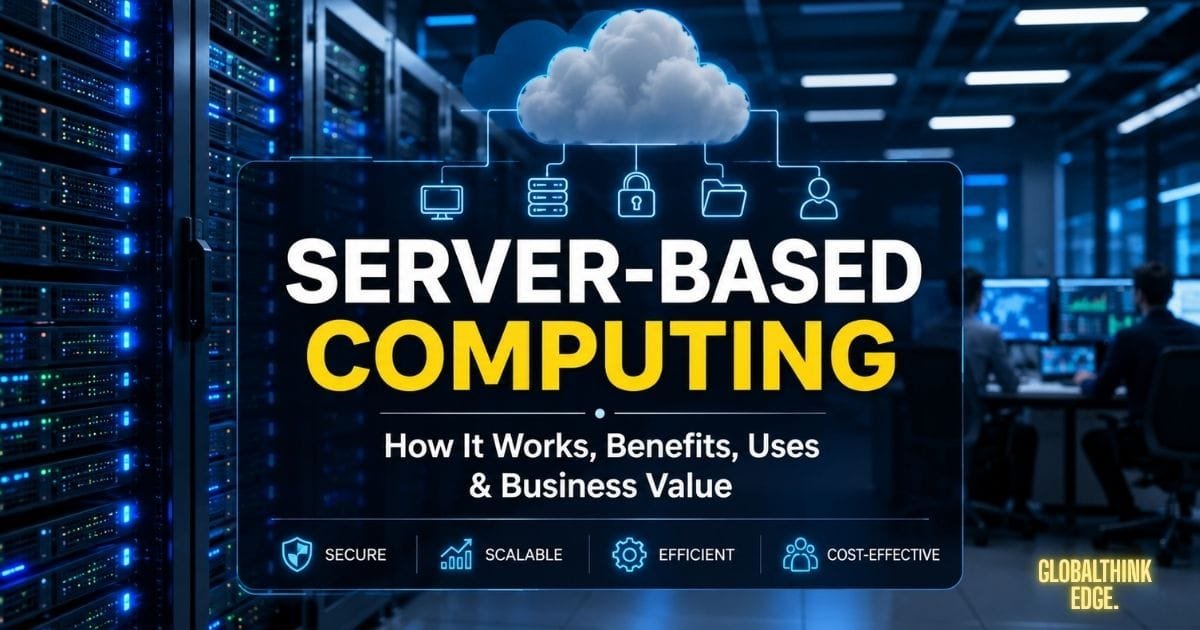
Server-Based Computing: Smart Benefits & Hidden Business Value
Understanding Server-Based Computing
Modern businesses rely on fast, secure, and efficient ways to manage applications and data. Server-based computing is one of the most reliable approaches because it centralises processing, storage, and management on dedicated servers instead of individual computers. This setup allows organizations to simplify IT operations, improve security, and provide employees with consistent access to business resources from almost anywhere.
Whether you run a small company or a large enterprise, understanding what server-based computing is can help you choose the right infrastructure for your technology needs. It has become a foundation for remote work, virtual desktops, centralised application management, and many enterprise IT environments.
Unlike traditional computing, where every computer performs most tasks independently, server-based computing shifts the workload to powerful servers. Users access applications and files through client devices while the server performs the heavy processing in the background. This model improves efficiency, reduces maintenance, and makes scaling much easier as organizations grow.
What Is Server-Based Computing?
Server-based computing is an IT model in which one or more central servers host applications, store data, and perform most processing tasks. Users connect to these servers through desktop computers, laptops, thin clients, or mobile devices over a local network or the internet.
Instead of installing software separately on every computer, organizations install and maintain applications on the server. When users log in, they access the same centralised resources regardless of which approved device they use.
This architecture gives IT teams greater control over software updates, user permissions, and system security while reducing hardware requirements for individual workstations.
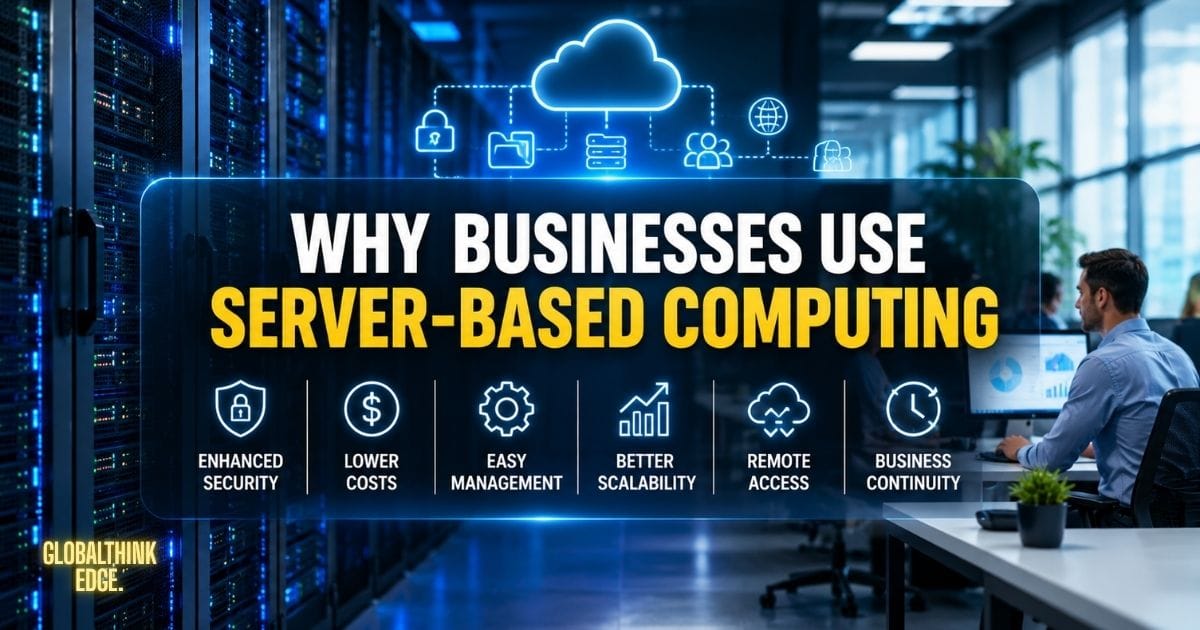
Why Businesses Use Server-Based Computing
Organizations adopt server-based computing because it offers practical advantages that improve both daily operations and long-term IT management.
Some of the primary reasons include:
Centralized control over applications and data
Simplified software deployment
Better protection against data loss
Easier backup and disaster recovery
Reduced maintenance on employee devices
Support for remote and hybrid work environments
Efficient use of computing resources
These advantages make server-based computing a popular choice in industries where reliability, security, and collaboration are essential.
How Server-Based Computing Operates
At its core, server-based computing follows a client-server architecture. The server provides computing resources, while client devices act as the interface through which users access those resources.
The Client-Server Relationship
Every time a user opens an application or requests information, the client device sends a request to the server. The server processes the request, retrieves the necessary data, and sends the results back to the client.
Because the server performs the demanding work, client devices do not need powerful processors or large storage capacities for many everyday tasks.
Processing Takes Place on the Server
One of the defining features of server-based computing is centralised processing.
Instead of every employee’s computer running complex applications independently, the server executes the software and manages workloads. This approach reduces inconsistencies between devices and ensures that everyone uses the latest version of business applications.
Centralised processing also allows organizations to monitor performance more effectively and allocate computing resources where they are needed most.
The Role of Client Devices
Client devices are designed primarily to provide user interaction.
Employees can use:
Desktop computers
Laptops
Thin clients
Tablets
Smartphones
These devices display applications, collect user input, and communicate with the server. Since much of the processing happens centrally, organizations can often extend the lifespan of existing hardware while maintaining acceptable performance.
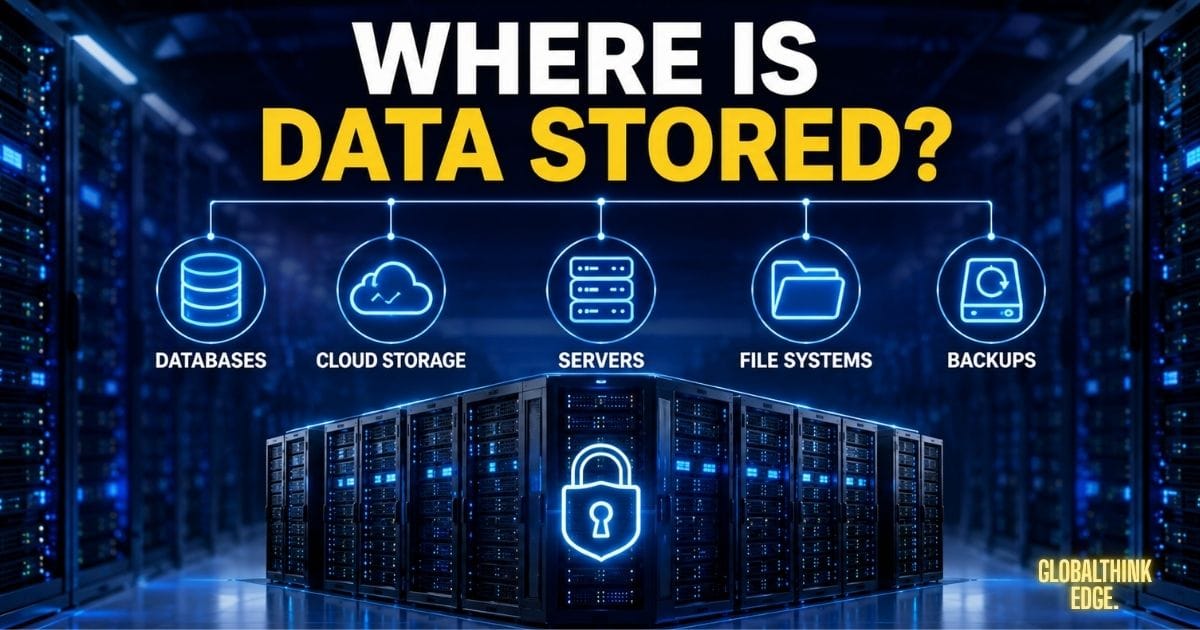
Where Is Data Stored?
In most server-based computing environments, important business information remains on centralised servers instead of local computers.
Examples include:
Customer databases
Business documents
Financial records
Employee files
Enterprise applications
Shared project resources
Centralised storage makes backups easier and helps reduce the risk of losing critical information if an employee’s device is damaged, lost, or stolen.
Essential Components of a Server-Based Computing Environment
A successful server-based computing system depends on several interconnected components working together efficiently.
Central Server
The server is the heart of the entire environment. It hosts applications, manages user sessions, stores files, and processes requests from connected users.
Modern servers often include high-performance processors, large amounts of memory, redundant storage systems, and virtualisation capabilities to support multiple users simultaneously.
Client Devices
Client devices provide employees with access to centralised resources.
centralised on organisational requirements, these may range from traditional desktop PCs to lightweight thin clients designed specifically for server-based environments.
Thin clients consume less power, require minimal maintenance, and are commonly used where centralised management is a priority.
Network Infrastructure
A stable network is essential because every interaction between users and servers depends on reliable communication.
Organizations typically use:
Local Area Networks (LANs)
Wide Area Networks (WANs)
Virtual Private Networks (VPNs)
High-speed internet connections
Network performance directly affects the responsiveness of applications and the overall user experience.
Storage Systems
Centralised storage allows organizations to keep all important files in one secure location.
Many businesses use Storage Area Networks (SAN), Network Attached Storage (NAS), or cloud-integrated storage solutions to improve reliability, scalability, and backup capabilities.
Operating Systems and Server Software
The server runs specialized operating systems and management software that control authentication, application delivery, resource allocation, and user permissions.
These systems ensure that multiple users can safely access shared resources without interfering with one another.
Security and Access Control
Security is a critical component of any server-based computing environment.
Administrators typically implement:
User authentication
Role-based access permissions
Multi-factor authentication (MFA)
Data encryption
Firewalls
Endpoint monitoring
Regular security updates
These measures help protect sensitive information while ensuring only authorised users can access company resources.
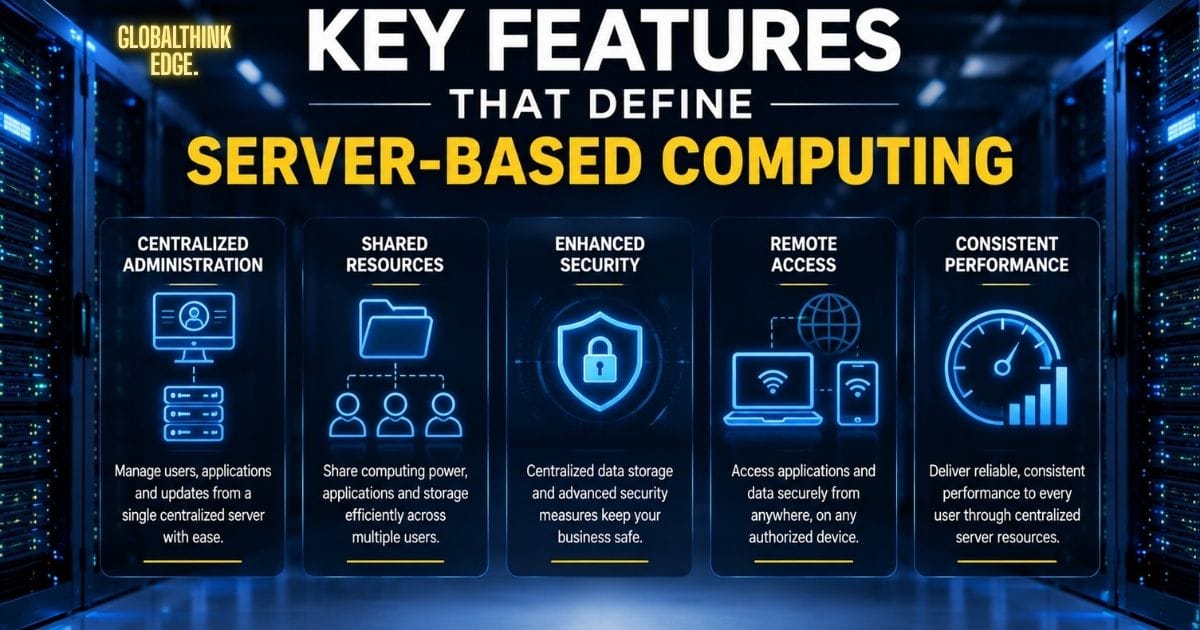
Key Features That Define Server-Based Computing
Server-based computing is designed to simplify IT management while delivering reliable performance to users. Its architecture provides several features that make it a preferred solution for organizations of all sizes.
Centralized Administration
One of the biggest strengths of server-based computing is centralised management. IT administrators can install software, apply updates, manage user accounts, and configure security settings from a single server instead of maintaining every individual device.
This approach saves time, reduces administrative effort, and ensures all users work with the latest applications and security patches.
Shared Computing Resources
A central server distributes processing power, storage, and applications to multiple users at the same time. Resource sharing improves hardware utilisation and eliminates the need to duplicate software installations across numerous computers.
Secure Remote Access
Employees can securely access business applications and files from different locations using authorised devices and secure network connections. This flexibility supports remote work, hybrid teams, and branch offices without compromising centralised control.
Consistent User Experience
Because applications are hosted on the server, users receive the same software versions, settings, and performance regardless of the device they use. This consistency reduces compatibility issues and improves productivity.
Benefits of Server-Based Computing
Organizations choose server-based computing because it delivers operational, financial, and security advantages.
Improved Data Security
Storing critical information on centralised servers reduces the risk of sensitive data being scattered across multiple devices. Administrators can enforce security policies, monitor activity, and respond quickly to potential threats.
Lower Maintenance Costs
Instead of updating every workstation individually, IT teams maintain applications and operating systems from a central location. This reduces labor costs and minimizes downtime during software upgrades.
Easier Scalability
As a business grows, adding new users often requires only user account creation and resource allocation on the server. Organizations can expand without replacing every employee’s computer.
Faster Software Deployment
New applications can be installed once on the server and made available to authorised users immediately. Employees do not need to perform manual installations on their own devices.
Reliable Backup and Recovery
Centralised storage simplifies data backup and disaster recovery planning. If a client device fails, important business information remains protected on the server, allowing users to continue working with minimal disruption.
Better Resource Utilization
Servers are built to handle multiple workloads efficiently. By sharing computing resources across many users, organisations maximise hardware performance and reduce unnecessary infrastructure expenses.
Common Implementations of Server-Based Computing
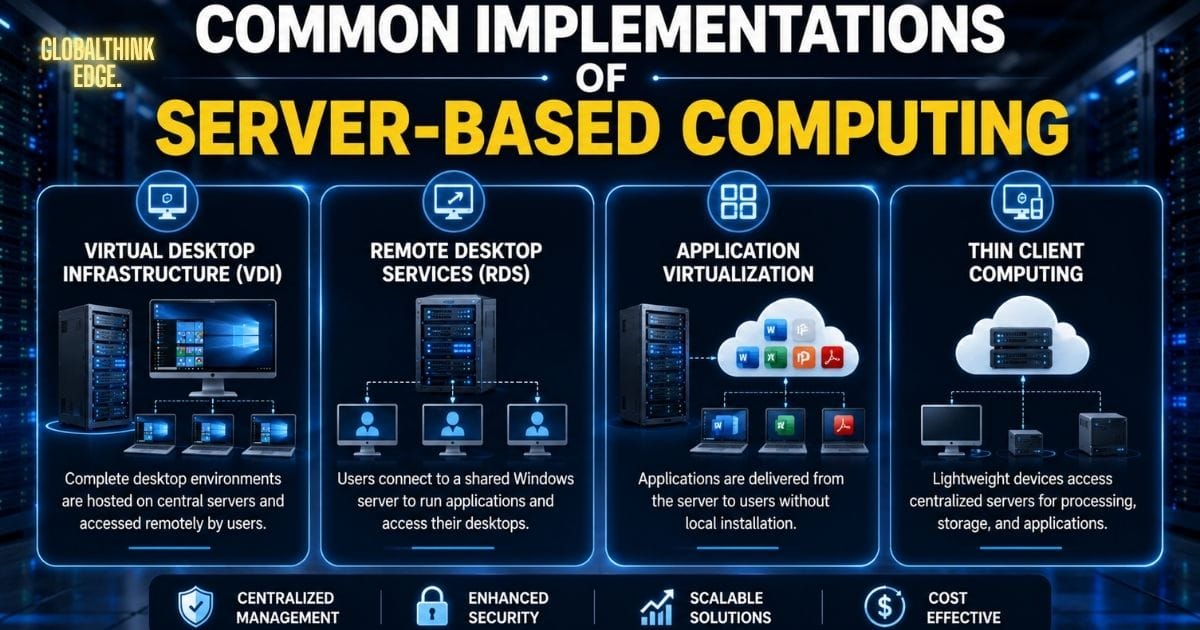
Different technologies allow businesses to implement server-based computing based on their operational requirements.
Virtual Desktop Infrastructure (VDI)
Virtual desktop infrastructure hosts complete desktop environments on centralised servers. Users access their personalized desktops remotely while all applications and data remain securely stored within the organisation’s infrastructure.
VDI is widely used in healthcare, education, financial institutions, and organizations with remote or mobile employees.
Remote Desktop Services (RDS)
Remote Desktop Services enables multiple users to access applications or desktop sessions running on a shared Windows server.
Because several users share the same server resources, RDS is often a cost-effective option for businesses that require centralised application access without assigning a separate virtual machine to each employee.
Application Virtualization
Instead of delivering an entire desktop, application virtualisation streams specific software from the server to user devices.
This approach reduces software conflicts, simplifies updates, and allows employees to access business applications without installing them locally.
Thin Client Computing
Thin clients are lightweight devices designed primarily to connect users with centralised servers. Since most processing occurs on the server, these devices consume less power, require minimal maintenance, and often have a longer service life than traditional desktop computers.
Real-World Examples of Server-Based Computing
Server-based computing supports a wide range of industries where centralised management and secure data access are essential.
Healthcare: Hospitals store patient records on secure servers, allowing authorised medical staff to access information quickly from different departments.
Education: Schools and universities provide students with centralised learning platforms, virtual labs, and shared applications without installing software on every computer.
Financial Services: Banks rely on centralised servers to process transactions, manage customer information, and maintain strict security standards.
Government Organisations: Public agencies use server-based environments to manage confidential records while controlling user access across multiple offices.
Manufacturing: Companies centralise production management systems and inventory applications, ensuring accurate data across facilities.
Remote Work Environments: Employees securely access business applications and company files from home or while travelling, maintaining productivity without storing sensitive data on personal devices.
Server-Based Computing vs. Traditional Computing
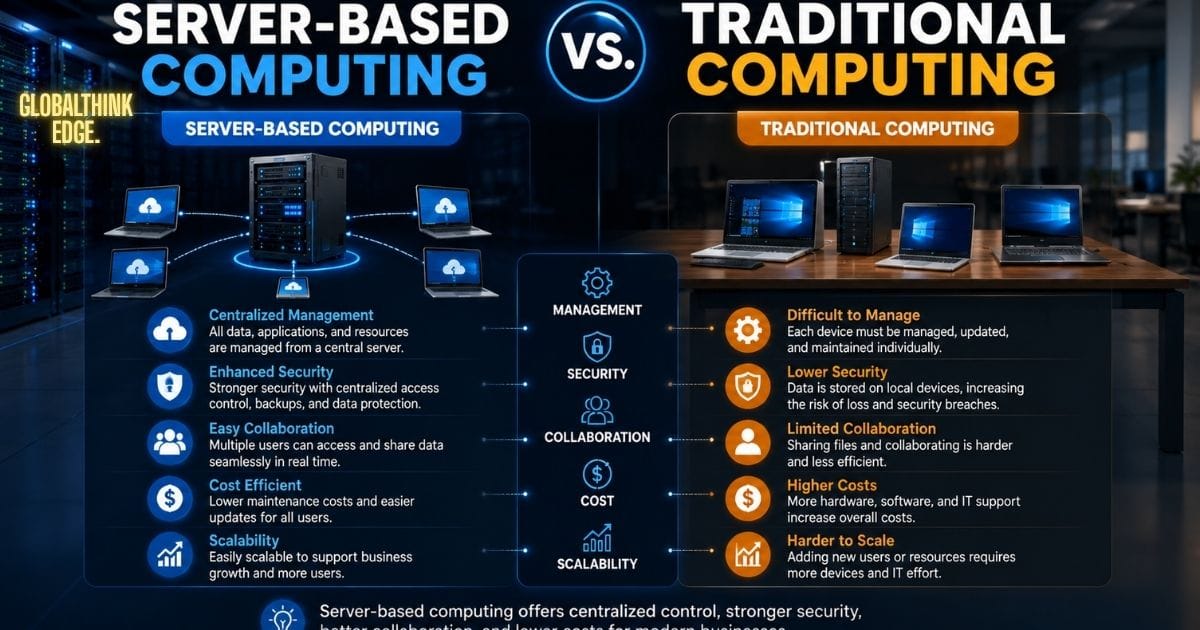
The following comparison highlights the differences between these two computing models.
| Feature | Server-Based Computing | Traditional Computing |
| Processing | Performed primarily on central servers | Performed on each individual computer |
| Data Storage | Centralized server storage | Stored locally on each device |
| Software Updates | Managed once from the server | Installed separately on every computer |
| Security | Centralized policies and monitoring | Depends on each individual device |
| Maintenance | Simplified and centralized | Time-consuming for multiple systems |
| Scalability | Easy to add users and resources | Often requires hardware upgrades |
| Remote Access | Built for secure remote connectivity | More limited without additional tools |
| Hardware Requirements | Lower for client devices | Higher for each workstation |
While traditional computing remains suitable for some standalone environments, server-based computing provides greater efficiency, centralised control, and easier management for organizations that support multiple users.
Challenges of Server-Based Computing
Although server-based computing offers significant advantages, it also comes with challenges that organizations should evaluate before implementation.
Higher Initial Investment
Setting up a server-based environment often requires purchasing servers, networking equipment, software licenses, and backup solutions. While these upfront costs can be substantial, many organizations recover the investment over time through lower maintenance expenses and improved operational efficiency.
Dependence on Network Performance
Because users rely on a network connection to access applications and data, poor connectivity can affect productivity. A reliable local area network (LAN) or internet connection is essential for smooth performance, especially in remote work environments.
Risk of a Single Point of Failure
If a central server experiences hardware failure or unexpected downtime, multiple users may temporarily lose access to critical applications. Organizations reduce this risk by using redundant servers, failover systems, and regular data backups.
Ongoing Server Maintenance
Servers require continuous monitoring, software updates, security patches, and performance optimisation. Businesses should have experienced IT professionals or managed service providers to keep the infrastructure secure and reliable.
Best Practices for a Successful Server-Based Computing Environment
Following proven practices helps organisations maximise performance while reducing security and operational risks.
Choose Reliable Hardware
Invest in enterprise-grade servers, storage systems, and networking equipment that can support both current workloads and future growth.
Implement Strong Security Measures
Protect sensitive information by using multi-factor authentication (MFA), role-based access control, firewalls, encryption, and regular security audits. These measures significantly reduce the risk of unauthorised access.
Schedule Regular Backups
Automatic backups ensure business-critical data can be restored quickly if hardware failures, cyberattacks, or accidental deletions occur. Testing backup recovery procedures regularly is just as important as creating the backups.
Monitor System Performance
Use monitoring tools to track CPU usage, memory utilisation, storage capacity, and network traffic. Early detection of performance issues helps prevent downtime and maintains a consistent user experience.
Keep Software Updated
Regularly updating operating systems, applications, and security patches protects servers from newly discovered vulnerabilities and improves overall system stability.
Which Industries Benefit Most from Server-Based Computing?
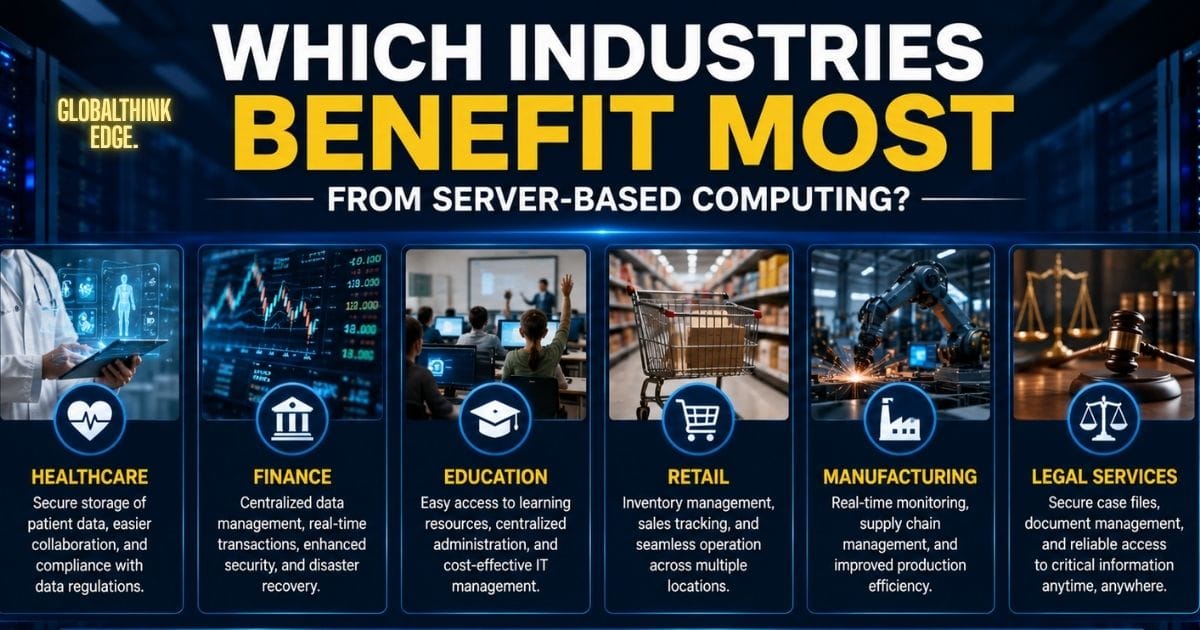
Many industries depend on centralised computing because it improves collaboration, security, and operational efficiency.
Some of the sectors that benefit the most include:
Healthcare: Secure access to electronic medical records and hospital management systems.
Education: Centralised learning platforms, computer labs, and virtual classrooms.
Banking and Finance: Protected transaction processing and centralised customer data management.
Retail: Inventory management, point-of-sale systems, and customer databases.
Manufacturing: Production planning, supply chain management, and quality control systems.
Software Development: Shared development environments, testing platforms, and version control systems.
Customer Support Centres: Centralised applications enable agents to deliver consistent service from any approved location.
Is Server-Based Computing the Right Choice?
Server-based computing is an excellent option for organizations that require centralised control, secure data management, and support for multiple users. Businesses with remote teams, strict compliance requirements, or rapidly growing operations often benefit the most from this model.
However, smaller organizations with limited IT resources should evaluate their budget, infrastructure needs, and long-term growth plans before implementation. In some cases, cloud-based services or hybrid solutions may provide greater flexibility while retaining many of the advantages of centralised computing.
Key Takeaways
Server-based computing centralises applications, processing, and data management.
It simplifies IT administration and improves system security.
Businesses benefit from easier software deployment, centralised backups, and lower maintenance costs.
Technologies such as Virtual Desktop Infrastructure (VDI) and Remote Desktop Services (RDS) are widely used implementations.
While it requires reliable network infrastructure and proper maintenance, its long-term advantages often outweigh the initial investment.
Hybrid environments that combine server-based computing with cloud technologies are becoming the preferred approach for many modern organizations.
Final Thoughts
Server-based computing remains a dependable solution for organizations that need secure, centralised, and scalable IT infrastructure. By hosting applications and data on powerful servers, businesses can simplify administration, strengthen security, and provide employees with reliable access to essential resources from virtually any location.
As technology continues to evolve, server-based computing also integrates with virtualisation, cloud platforms, and remote work solutions, making it even more flexible for modern organizations. Understanding how it works, its benefits, potential challenges, and implementation best practices enable businesses to make informed decisions and build an infrastructure that supports long-term growth, efficiency, and resilience.
Frequently Asked Questions
What is server-based computing?
Server-based computing is an IT model where applications, data, and processing are hosted on centralised servers, while users access them through connected client devices.
How is server-based computing different from traditional computing?
Traditional computing performs most tasks on individual computers, whereas server-based computing handles processing and storage on centralised servers, making management and security more efficient.
Is server-based computing secure?
Yes. When implemented correctly, it provides strong security through centralised access control, encryption, firewalls, regular updates, and continuous monitoring.
What are the biggest advantages of server-based computing?
The main benefits include centralised management, improved security, easier software updates, simplified backups, lower maintenance costs, and support for remote access.
Can small businesses use server-based computing?
Yes. Small businesses can adopt server-based computing if they need centralised management or shared applications. They should assess costs and choose a solution that matches their operational requirements and future growth.
Is server-based computing the same as cloud computing?
No. Server-based computing typically relies on servers managed by an organisation or service provider, while cloud computing delivers computing resources over the internet. Many modern businesses combine both approaches in a hybrid environment.
