
Browser Memory Saver Comparison: Best Picks for RAM
Which Browser Memory Saver Is Best for RAM?
A browser memory saver reduces RAM pressure by putting inactive tabs into a lower-resource state or unloading their page content. The goal is simple: keep active tabs responsive while reducing the memory consumed by tabs you are not using.
For most users, Chrome offers the clearest memory-saving controls, while Edge provides stronger performance management tools. Firefox takes a more manual approach, and Opera automatically pauses inactive tabs.
The important point is that a browser memory saver is not the same as simply closing tabs. These features let you keep tabs available while reducing their background resource usage.
This browser memory saver comparison looks at how major browsers handle inactive tabs, reload behavior, controls, battery impact, and everyday usability.
Browser Memory Saver Comparison at a Glance
| Browser | Memory Feature | Main Approach | Reload After Deactivation | Control Level |
| Google Chrome | Memory Saver | Deactivates inactive tabs | Yes | High |
| Microsoft Edge | Sleeping Tabs | Sleeps inactive tabs | Usually no full reload | Very High |
| Mozilla Firefox | Tab Unloading | Unloads selected/inactive tabs | Yes | Moderate |
| Opera Opera | Tab Snoozing | Pauses inactive tabs | Generally quick resume | Moderate |
How Browser Memory Saving Works
Memory-saving features generally work by reducing the resources assigned to background tabs.
A normal browser tab can consume RAM even when you are not looking at it. Complex websites, web applications, video pages, social platforms, and productivity tools can maintain scripts and page data in memory.
When a memory-saving feature detects an inactive tab, it can pause, freeze, sleep, or unload parts of that tab.
The exact behavior differs between browsers.
Chrome says its Memory Saver deactivates tabs you are not currently using and reloads them when you return. It also offers moderate, balanced, and maximum deactivation levels.
Edge uses Sleeping Tabs to pause inactive background tabs. Microsoft explains that sleeping reduces CPU activity and releases some memory while allowing the tab to resume quickly.
Firefox can unload tabs to reduce memory and CPU use while keeping the tabs visible. When you return, Firefox reloads the page.
Opera’s Tab Snoozing automatically pauses tabs that are not actively being used so they do not consume computer memory.
Sleeping vs Unloading
These terms matter when comparing browser memory features.
Sleeping or pausing generally keeps more of a tab’s state available, allowing faster restoration.
Unloading or deactivation removes more of the page from memory. The browser may need to reload the page when you return.
This creates the central trade-off: more memory savings can mean more reloads or restoration time.
Chrome Memory Saver
Chrome has one of the most straightforward approaches to memory management.
Its Memory Saver feature deactivates inactive tabs and automatically reloads them when you return. Google currently provides three levels:
Moderate: Less aggressive deactivation.
Balanced: Recommended compromise between memory savings and usability.
Maximum: More aggressive deactivation for stronger memory savings.
Chrome also allows users to prevent selected sites from being deactivated.
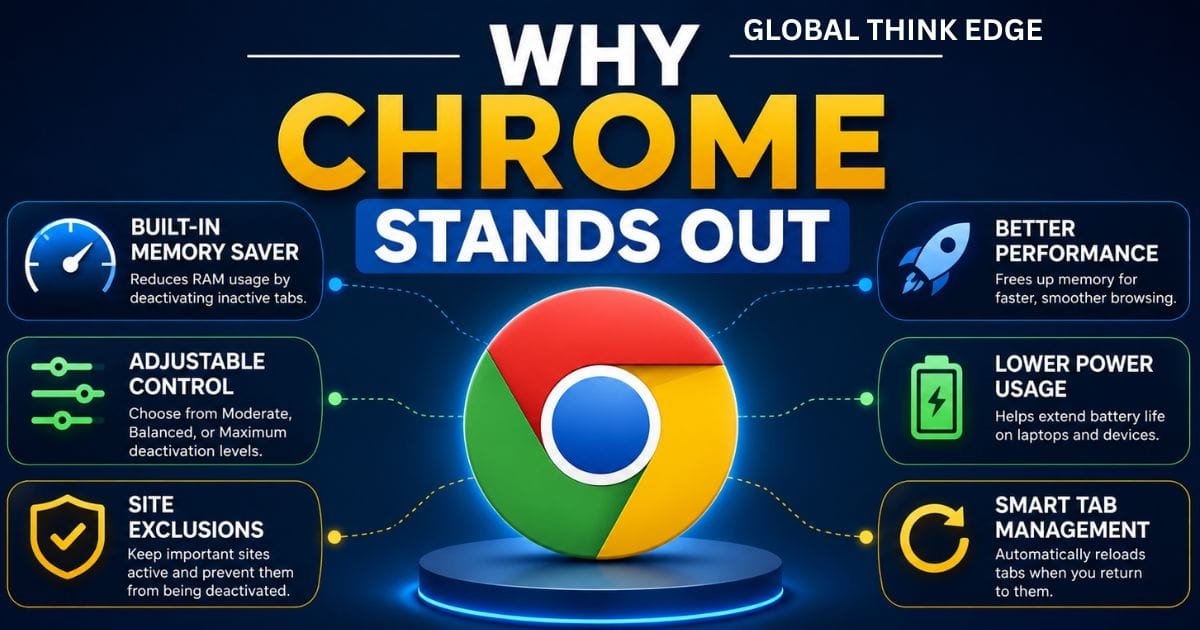
Why Chrome Stands Out
Chrome is a strong choice if you want a simple setting that works without manually managing every tab.
The three memory-saving levels are particularly useful for different hardware configurations.
A computer with 16 GB or more RAM may work comfortably with balanced settings, while a low-memory machine with many open tabs can benefit from a more aggressive approach.
The downside is that inactive tabs can reload when opened again. This may be noticeable with large web applications or pages containing unsaved temporary state.
Microsoft Edge Sleeping Tabs
Edge takes a more detailed performance-management approach.
Its Sleeping Tabs feature puts inactive tabs to sleep to reduce CPU and memory usage. Users can adjust how long a tab remains inactive before it sleeps.
Edge also includes a Performance Detector that can identify tabs consuming excessive memory or CPU resources and lets users sleep or close individual tabs.
Another advantage is that Edge distinguishes between sleeping and discarded tabs. A sleeping tab releases some resources while remaining quick to resume, whereas a discarded tab releases more resources but may need the page to reload completely.
Edge for Heavy Multitaskers
Edge is particularly attractive for people who regularly work with dozens of tabs.
Its performance tools provide more visibility into what is consuming resources instead of relying entirely on automatic memory management.
Edge also includes Energy Saver features that can reduce background activity and help extend battery life, although more aggressive power-saving behavior can introduce some performance trade-offs.
Firefox Tab Unloading
Firefox approaches memory management differently from Chrome and Edge.
Mozilla provides performance settings that can be adjusted for speed, memory usage, or stability.
Firefox also supports unloading inactive tabs. An unloaded tab remains visible in the tab bar, but its active page resources are removed. When you return to it, Firefox reloads the page.
Firefox’s Main Advantage
Firefox gives users useful diagnostic tools for identifying resource-heavy pages.
Its task manager, available through about:processes, can show which tabs and processes are consuming significant system resources. Mozilla also recommends reducing unnecessary open tabs when memory usage becomes excessive.
This makes Firefox a good option for users who prefer understanding and controlling resource usage rather than relying exclusively on an automatic memory-saving mode.

Opera Tab Snoozing
Opera uses Tab Snoozing to pause inactive tabs.
The feature is enabled by default, and Opera says tabs that are not actively used are paused so they do not use computer memory. Clicking the tab activates it again.
Where Opera Fits
Opera’s approach is convenient for users who want memory management to happen automatically.
It does not require the same level of manual configuration as some other browsers. That makes it useful for casual multitasking and users who frequently leave many tabs open.
However, users looking for detailed per-tab memory controls may prefer Edge or Chrome.
Browser Memory Saver Comparison: Which Is Most Efficient?
There is no universal winner because memory usage depends heavily on the websites you open, extensions, hardware, and number of active tabs.
For automatic memory management, Chrome and Opera are strong choices.
For advanced performance controls, Edge has the broader toolkit.
For manual resource management and diagnostics, Firefox offers useful built-in tools.
The browser using the least RAM in one test may not use the least in another. A browser with 30 simple text pages can behave very differently from one running 30 web applications, video sites, or collaboration tools.
What About Tab Reloading?
Reloading is the main trade-off to watch.
Suppose you open 40 tabs but regularly use only five. A memory saver can reclaim resources from the other 35 tabs.
When you return to an inactive tab, the browser may need to restore or reload it.
That can increase page-loading time and may reset temporary page states. For ordinary articles, this is usually minor. For complex web apps, it can be more noticeable.

Which Browser Should You Choose?
Choose Chrome if you want straightforward memory controls with multiple deactivation levels.
Choose Edge if you want deeper performance management, sleeping tabs, resource monitoring, and battery-saving options.
Choose Firefox if you prefer an independent browser with useful performance settings, diagnostics, and tab unloading.
Choose Opera if you want automatic tab pausing with minimal configuration.
For a computer with limited RAM, the best browser is not necessarily the one with the smallest idle footprint. The better choice is the one that manages your actual browsing workload efficiently.
How to Get Better Results From Memory Saver
A memory saver works best when combined with sensible tab management.
First, keep frequently used web applications active only when necessary. Email, online editors, dashboards, and communication tools can consume significant resources.
Second, review browser extensions. An extension can use memory even when the browser itself is managing inactive tabs.
Third, use bookmarks or tab groups for pages you need later instead of leaving dozens of tabs permanently open.
Finally, test the browser with your normal workflow. Open the websites you actually use, monitor memory consumption, and see whether inactive-tab restoration causes problems.
Browser Memory Saver Comparison: Final Verdict
The best browser memory saver depends on how aggressively you want to reduce RAM usage.
Chrome is the easiest all-round choice, thanks to its adjustable Memory Saver levels. Edge is the strongest option for advanced performance management, especially for users who keep many tabs open. Firefox provides solid unloading and diagnostic tools, while Opera offers convenient automatic tab snoozing.
For most people, the biggest performance improvement will come from combining browser memory management with fewer unnecessary tabs, lighter extension usage, and sensible tab organization.
The key is not simply finding the browser that claims to save the most memory. It is finding the browser that provides the best balance between RAM usage, reload behavior, responsiveness, and control.
Frequently Asked Questions
Which browser saves the most RAM?
There is no fixed winner. RAM usage varies by website, extensions, tab count, operating system, and browser settings. Edge, Chrome, Firefox, and Opera all use different approaches to inactive tabs.
Is Chrome Memory Saver worth enabling?
Yes, especially if you regularly keep many tabs open. Chrome can deactivate inactive tabs and offers three memory-saving levels, allowing you to balance RAM savings against reload frequency. (Google Support)
Does Edge’s sleeping tabs save memory?
Yes. Edge Sleeping Tabs reduces resource usage by putting inactive tabs into a sleeping state. Microsoft says the feature can reduce CPU usage and release some memory for other tasks. (Microsoft Support)
Does Firefox have a memory saver?
Firefox supports tab unloading, which removes inactive tab resources from memory while keeping the tab available. Returning to the tab causes Firefox to reload its page. (Mozilla Support)
Does Opera save memory automatically?
Yes. Opera’s Tab Snoozing is enabled by default and pauses inactive tabs so they do not consume computer memory. (Opera Help)
Should I close tabs instead of using a memory saver?
Not always. If you need the tabs later, a memory-saving feature can reduce resource usage while keeping them available. Closing unnecessary tabs is still the most direct way to eliminate their resource consumption.
