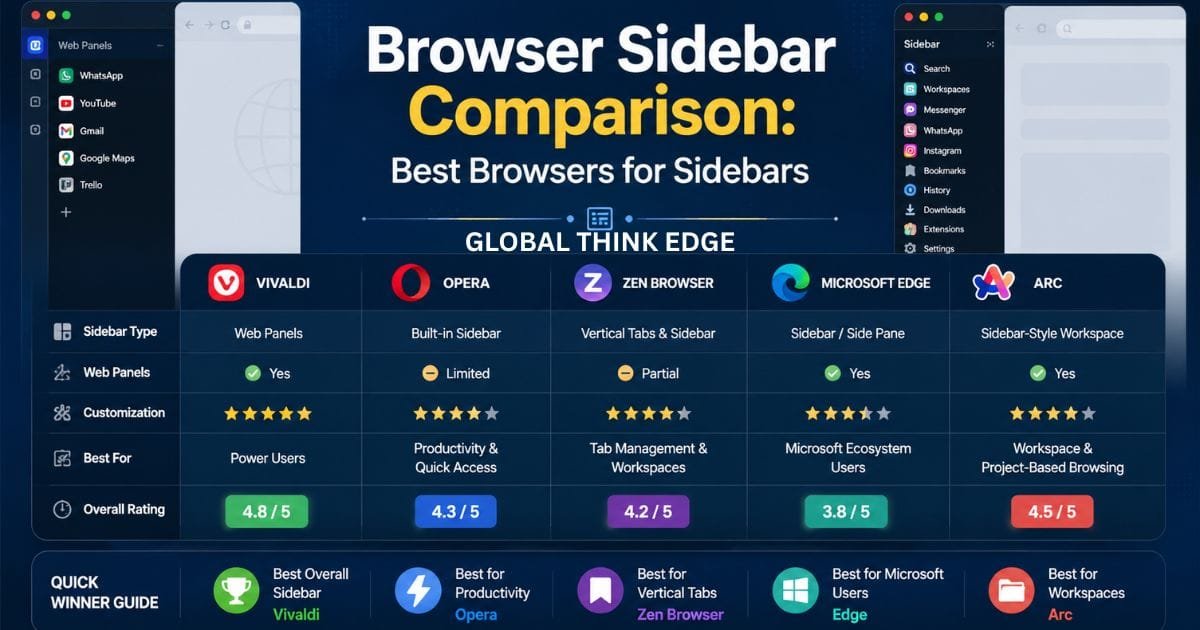
Browser Sidebar Comparison: Best Browsers for Sidebars
Browser Sidebar Comparison: Which Browser Is Best?
A browser sidebar gives you quick access to tabs, websites, tools, bookmarks, messaging apps, or productivity features without leaving your current page. Vivaldi is the best choice for customizable web panels; Opera works well for built-in productivity tools; Zen focuses on vertical tabs and workspaces, while Edge suits users who prefer Microsoft’s ecosystem.
| Browser | Sidebar Focus | Web Panels | Customization | Best For |
| Vivaldi | Web Panels & browser tools | ✅ | Excellent | Power users |
| Opera | Productivity & shortcuts | Limited | Very Good | Everyday productivity |
| Zen Browser | Vertical tabs & workspaces | Partial | Excellent | Tab organization |
| Microsoft Edge | Apps & side pane | Yes | Good | Microsoft users |
| Arc | Spaces & navigation | Yes | Excellent | Workspace workflows |
Quick Comparison Tool
Choose the browser based on what you want from the sidebar:
Custom websites in a sidebar: Vivaldi
Messaging and productivity shortcuts: Opera
Vertical tabs and workspaces: Zen Browser
Microsoft services and features: Edge
Workspace-based browsing: Arc
Vivaldi Sidebar
Vivaldi offers one of the most flexible sidebar systems because its web panels can keep websites available beside your main browsing area.
You can add frequently used websites to Web Panels and open them without creating a separate browser tab. This works well for reference pages, email, calendars, notes, dashboards, and communication tools.
Vivaldi also lets you adjust the panel width and organize your panels according to your workflow.
Vivaldi Sidebar Pros and Cons
Pros:
Excellent Web Panel support
Highly customizable interface
Useful for multitasking
Supports custom websites
Strong tab and panel management
Cons:
The interface can feel busy for new users
Some features require adjustment before they feel natural
Best for: Users who want maximum control over their browser sidebar.
Opera Sidebar
Opera’s sidebar is designed more around quick access to productivity features than fully customizable web panels.
The sidebar can provide access to messaging services, bookmarks, history, downloads, extensions, Workspaces, and other browser functions.
This approach makes Opera convenient for users who want common tools available without constantly opening new tabs.
Opera Sidebar Pros and Cons
Pros:
Clean productivity-focused design
Easy access to frequently used tools
Workspaces improve organization
Useful messaging integrations
Simple for everyday browsing
Cons:
Less flexible than Vivaldi for custom Web Panels
Sidebar experience depends on Opera’s supported features
Best for: Users who want a convenient productivity sidebar without extensive customization.
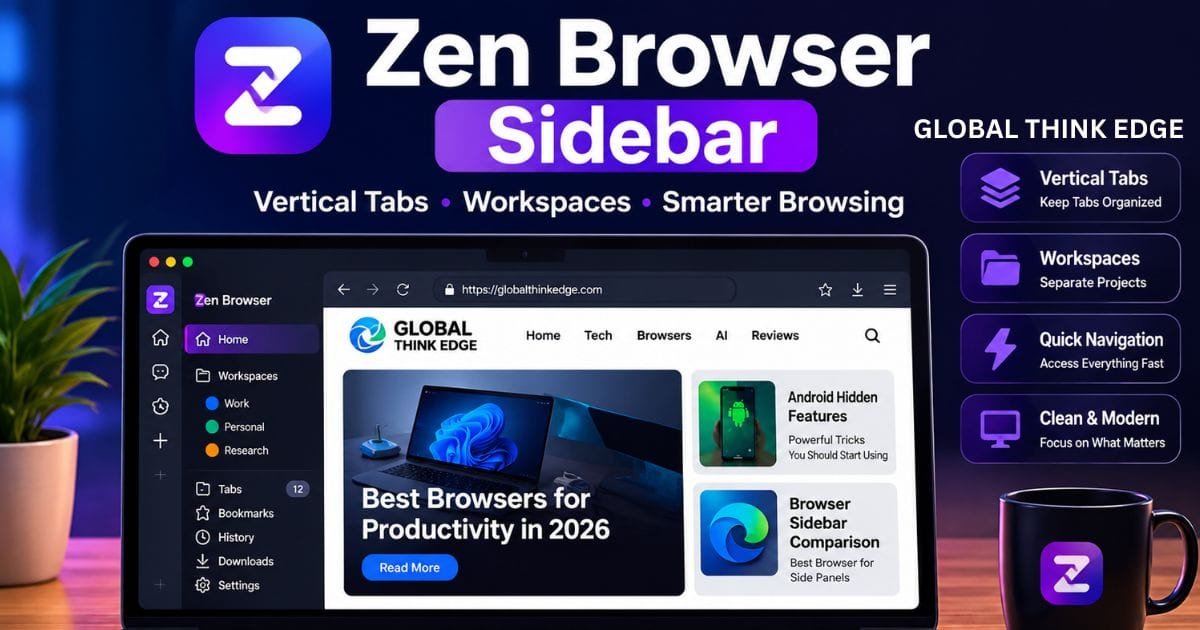
Zen Browser Sidebar
Zen Browser takes a different approach by making vertical tabs and workspaces central to the browsing experience.
Instead of treating the sidebar mainly as a place for mini websites, Zen uses the available side space to organize tabs and browsing sessions.
This can be particularly useful when you regularly work with many open tabs.
Zen Sidebar Pros and Cons
Pros:
Excellent vertical tab layout
Strong workspace organization
Efficient use of screen space
Good fit for multitasking
Modern browser interface
Cons:
Not primarily designed around traditional Web Panels
Users coming from conventional browsers may need time to adapt
Best for: People who want better tab organization rather than a traditional website sidebar.
Microsoft Edge Sidebar
Microsoft Edge has offered sidebar functionality for quick access to apps, websites, and browser features, but its sidebar strategy has been changing.
Edge’s sidebar has been useful for users who already rely on Microsoft services and want related tools accessible while browsing.
However, Microsoft has announced changes to the Sidebar app experience. The Sidebar app list is being retired, while Copilot and related side-pane experiences remain separate.
That makes Edge a less obvious choice for users specifically looking for a long-term customizable website-panel system.
Edge Sidebar Pros and Cons
Pros:
Strong Microsoft ecosystem integration
Useful side-pane features
Convenient access to supported tools
Familiar interface for Edge users
Cons:
Sidebar functionality is changing
Less attractive for users wanting traditional customizable Web Panels
Best for: Existing Microsoft Edge users who already depend on Microsoft’s services.
Arc Sidebar
Arc uses a sidebar-style navigation system built around Spaces, tabs, folders, and browsing organization.
Its approach is different from Vivaldi’s Web Panels. Instead of focusing primarily on displaying websites inside a narrow panel, Arc uses the sidebar as the main navigation area.
This makes it useful for users who prefer organizing browsing into separate projects or contexts.
Arc Sidebar Pros and Cons
Pros:
Strong workspace organization
Sidebar-based navigation
Useful tab organization
Good project-based workflow
Cons:
Different from traditional browser sidebars
May require adjustment for users familiar with Chrome-style navigation
Best for: Users who prefer workspace-based browsing.
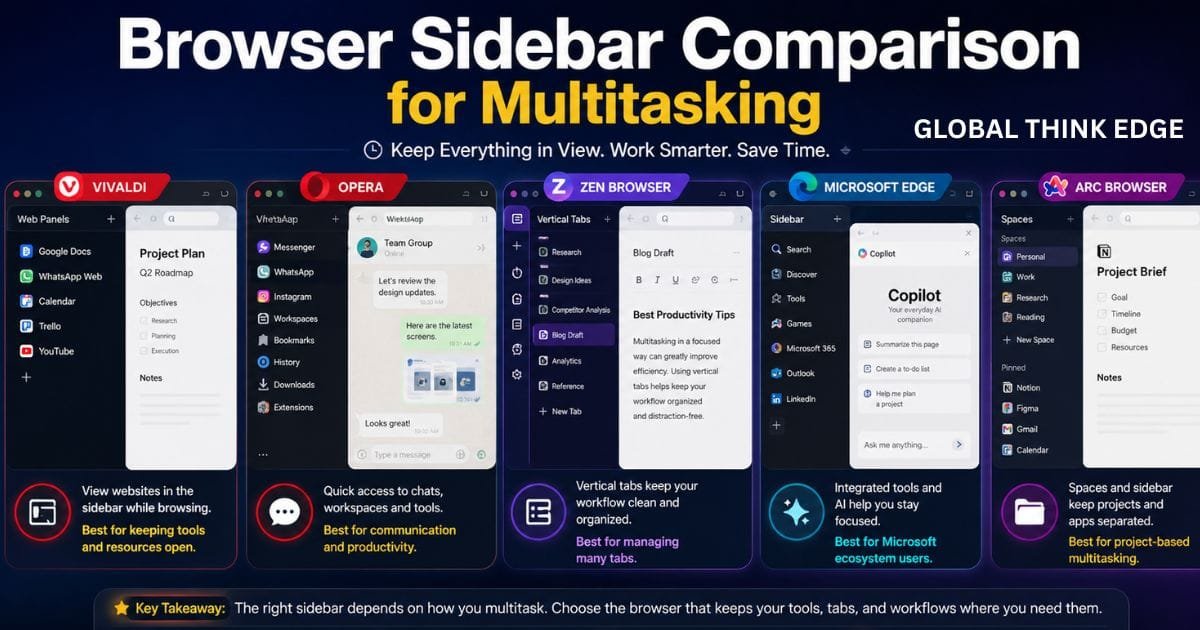
Browser Sidebar Comparison for Multitasking
For multitasking, the best browser depends on what you need to keep visible.
Vivaldi is particularly useful when you want a website available while reading another page. For example, you can keep a notes page, reference website, or communication service in a web panel.
Opera is convenient when your multitasking mainly involves built-in services and quick browser tools.
Zen is better when the problem is having too many tabs rather than needing multiple websites visible at once.
Arc focuses heavily on organizing different projects, making it useful for users who separate work, research, and personal browsing.
Which Browser Has the Most Customizable Sidebar?
Vivaldi is the strongest choice for sidebar customization.
Its Web Panels let users decide which websites should remain accessible from the sidebar. You can organize these panels around your daily workflow rather than relying only on predefined browser features.
This is an important difference in a browser sidebar comparison because customization can determine whether the sidebar becomes a useful productivity tool or simply another navigation menu.
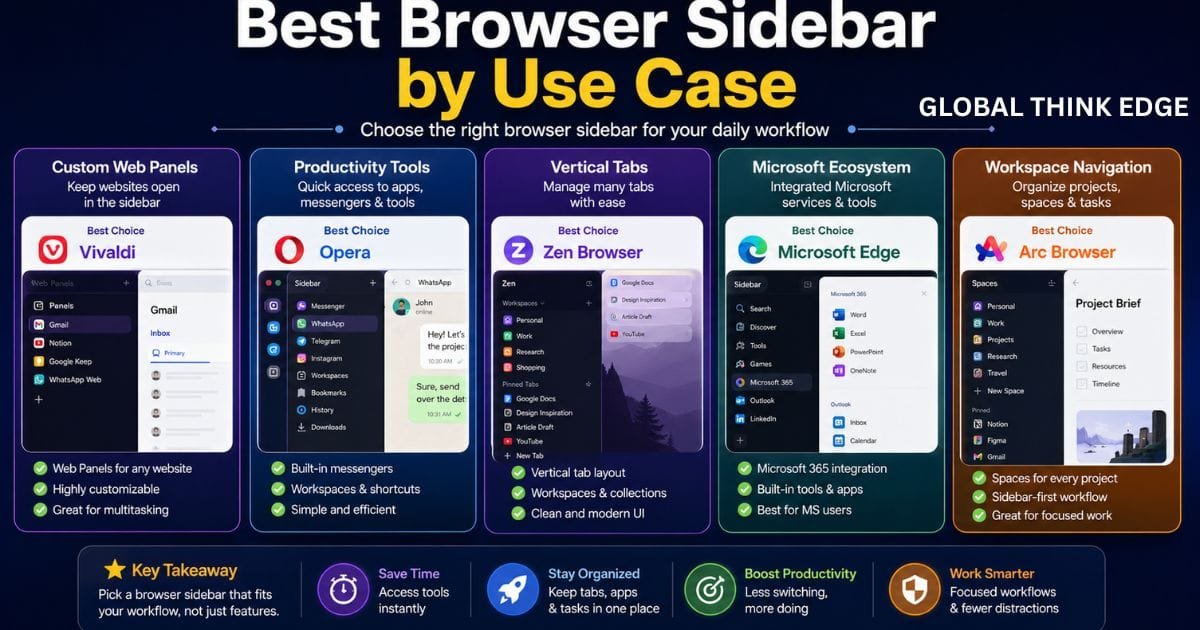
Best Browser Sidebar by Use Case
| Use Case | Best Choice | Why |
| Custom Web Panels | Vivaldi | Flexible website panels |
| Productivity tools | Opera | Built-in shortcuts and services |
| Vertical tabs | Zen | Sidebar-focused tab management |
| Microsoft ecosystem | Edge | Microsoft integration |
| Project organization | Arc | Spaces and sidebar navigation |
| Heavy multitasking | Vivaldi | Web Panels + tab management |
| Simple sidebar access | Opera | Easy productivity features |
Browser Sidebar Comparison: Vivaldi vs Opera
Vivaldi wins for customization, while Opera is better for users who want a simpler productivity-focused sidebar.
Choose Vivaldi if you want to add specific websites and build a personalized side-panel workflow.
Choose Opera if you prefer ready-to-use browser features, messaging access, Workspaces, and shortcuts.
For most users who specifically search for a browser sidebar comparison, this is one of the clearest differences between the two browsers.
Browser Sidebar Comparison: Vivaldi vs Zen
Vivaldi and Zen serve different purposes.
Vivaldi focuses more on putting websites and tools into panels. Zen focuses more on organizing tabs vertically and managing workspaces.
If you frequently reference another website while browsing, Vivaldi is the better fit.
If your main problem is managing dozens of tabs, Zen may provide the cleaner workflow.
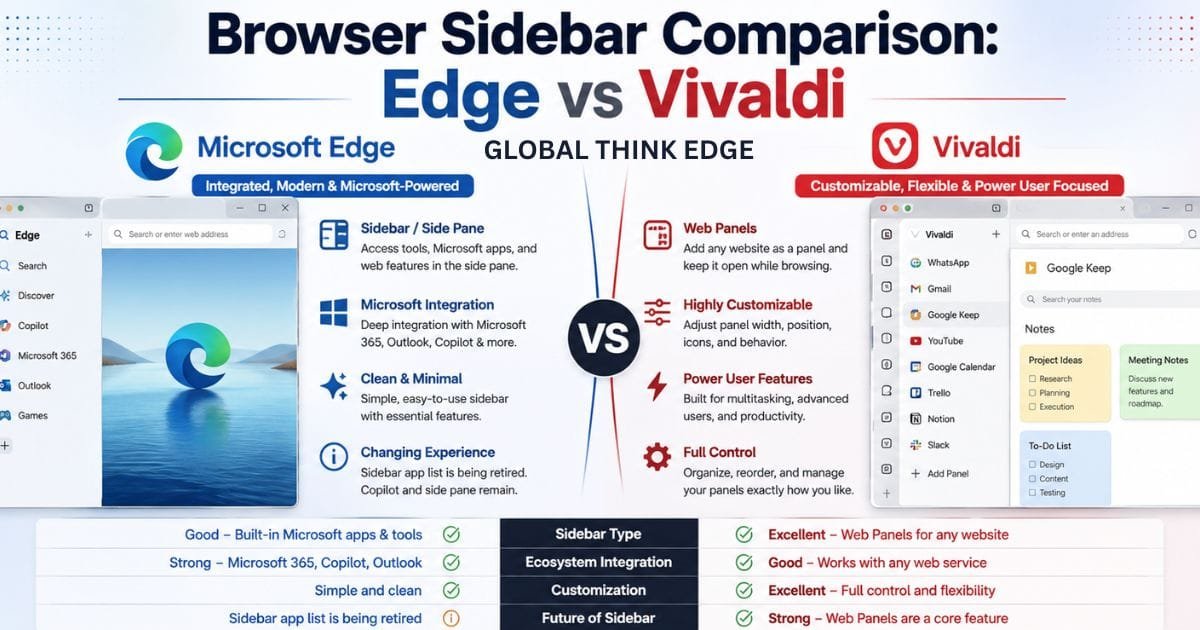
Browser Sidebar Comparison: Edge vs Vivaldi
Edge can be attractive if you already use Microsoft services, but Vivaldi provides a more dedicated approach to customizable web panels.
The difference becomes more important as Microsoft’s Edge Sidebar continues to evolve.
For users choosing a browser specifically because of sidebar functionality, Vivaldi offers the more straightforward long-term option.
Final Verdict
There is no single best sidebar for every workflow.
Vivaldi is the best overall choice for customizable browser sidebars and web panels. Opera is a strong option for built-in productivity features, Zen is better for vertical tabs and workspaces, Edge remains useful for Microsoft users, and Arc is designed around workspace-based navigation.
Quick Winner List
🏆 Best customizable sidebar: Vivaldi
⚡ Best productivity sidebar: Opera
📑 Best vertical tab sidebar: Zen Browser
🪟 Best for Microsoft users: Edge
🗂️ Best workspace navigation: Arc
FAQs
Which browser has the best sidebar?
Vivaldi is the best overall choice if you want customizable web panels and direct access to websites from a sidebar.
Is Vivaldi better than Opera for sidebar use?
Vivaldi is better for custom websites and web panels. Opera is better if you mainly want quick access to built-in productivity features and services.
Which browser is best for vertical tabs?
Zen Browser is a strong option for users who want vertical tabs and workspace-based browsing.
Can a browser sidebar improve productivity?
Yes. A sidebar can reduce tab switching by keeping frequently used websites, tools, or navigation features accessible beside the active page.
Which browser should I choose for a customizable sidebar?
Choose Vivaldi if customization is your priority. Its Web Panels make it particularly suitable for users who want specific websites available directly from the sidebar.

Pingback: Browser Sidebar: Best Browsers, Features, and Uses