MIDI Show Control: Best Expert Commands & Software
What Is MIDI Show Control and Why Does It Matter?
Live productions depend on precise timing. Whether you’re managing a concert, theatrical performance, corporate presentation, or multimedia event, every lighting cue, sound effect, video clip, and stage action must happen at exactly the right moment. This is where MIDI Show Control (MSC) becomes invaluable.
MIDI Show Control is a standardized communication protocol that allows different entertainment devices to exchange real-time commands. Instead of manually triggering every cue, operators can use MSC to automate actions across compatible lighting consoles, audio playback systems, media servers, and other show-control equipment.
Although MIDI was originally developed for musical instruments, MIDI Show Control extends the protocol far beyond music. It enables multiple systems from different manufacturers to work together during complex productions, reducing human error while improving synchronization and efficiency.
Whether you’re a beginner exploring show automation or a professional looking to optimize live productions, understanding MIDI Show Control can significantly improve the reliability and flexibility of your workflow.
Understanding the Purpose of MIDI Show Control
The primary purpose of MIDI Show Control is to coordinate different devices using standardized commands. Rather than relying on separate operators for lighting, sound, and video, MSC allows these systems to communicate automatically.
For example, a single command can simultaneously do the following:
Trigger the next lighting scene
Start background music
Play a video sequence
Activate stage effects
Launch projection mapping
This centralized control makes productions smoother while reducing the chances of mistimed cues.
Unlike proprietary automation systems, MIDI Show Control follows an internationally recognized standard, making it compatible with a wide range of professional equipment.
How MIDI Show Control Expands Standard MIDI
Traditional MIDI focuses on transmitting musical information such as notes, velocity, pitch, and controller data between instruments.
MIDI Show Control takes a different approach by sending operational commands instead of musical performances.
Rather than telling a keyboard which note to play, MSC instructs compatible devices to perform actions like the following:
Execute the next cue
Pause playback
Stop an ongoing sequence
Load a predefined scene
Resume a paused event
This distinction makes MSC an essential technology for live entertainment and production environments where automation is more important than musical performance.
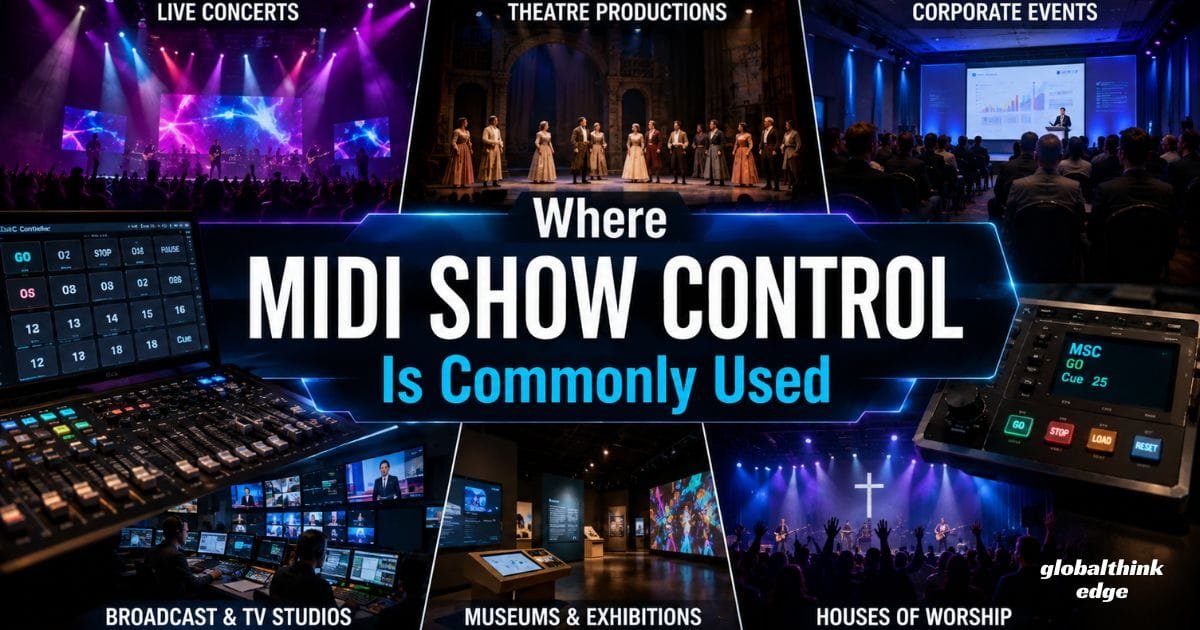
Where MIDI Show Control Is Commonly Used
One of the biggest strengths of MIDI Show Control is its flexibility. It supports productions ranging from small venues to large-scale international events.
Common applications include:
Live concerts
Theatre productions
Church and worship services
Television studios
Broadcast control rooms
Corporate conferences
Museums and exhibitions
Theme parks
Educational auditoriums
Multimedia installations
Because MSC works across multiple production disciplines, it helps create synchronized experiences that would otherwise require extensive manual coordination.
How MIDI Show Control Works
Although the technology behind MIDI Show Control may sound technical, its operating principle is surprisingly straightforward.
Every compatible device listens for standardized MSC messages transmitted through a MIDI connection or supported network interface. When a device receives a command addressed to it, it immediately performs the requested action.
Instead of transmitting audio or video content, MSC sends short command messages that tell devices what to do and when to do it.
A typical communication process looks like this:
1. The show controller sends an MSC command.
2. The target device recognizes its assigned identifier.
3. The command is validated.
4. The device executes the requested cue.
5. Other synchronized devices respond if programmed to do so.
This process usually happens within milliseconds, making the transition virtually seamless for the audience.
Understanding the MSC Message Structure
Every MIDI Show Control message follows a defined structure that ensures reliable communication between devices.
An MSC message generally includes the following:
Command type
Device identification
Cue number
Cue list (optional)
Cue path (optional)
Additional execution parameters
This structured format enables controllers to target specific equipment instead of broadcasting commands indiscriminately.
For example, a lighting console may receive instructions to execute Cue 15, while the media server receives a different command to start a promotional video—all at the same moment.
Device IDs and Addressing
In productions involving multiple devices, proper identification is essential.
Each compatible device can be assigned a Device ID, allowing operators to direct commands to a specific piece of equipment without affecting the rest of the system.
This selective addressing offers several advantages:
Prevents unintended triggers
Simplifies large installations
Supports multiple lighting consoles
Enables independent audio systems
Improves production reliability
For larger productions, carefully planning device IDs before programming cues helps avoid conflicts and streamlines troubleshooting.
Cue Numbers and Show Organization
Most professional productions are organized into cue lists.
Each cue represents a predefined event, such as changing stage lighting, starting a soundtrack, or displaying a visual effect.
Instead of manually adjusting every setting during the show, operators simply trigger the assigned cue number, and all programmed actions occur automatically.
This approach offers several benefits:
Faster show execution
Consistent performances
Easier rehearsal management
Reduced operator workload
Improved synchronization across departments
Well-organized cue numbering also makes editing, testing, and updating productions much easier, especially for large-scale events with hundreds of automated actions.
Real-Time Communication Between Systems
One of the defining features of MIDI Show Control is its ability to coordinate multiple production systems in real time.
For instance, pressing a single GO command can simultaneously:
Advance the lighting sequence
Start background music
Trigger a projection animation
Activate stage effects
Switch camera presets in supported environments
This synchronized communication creates polished productions that feel effortless to the audience while reducing the workload for technical crews.
In modern entertainment environments, MSC often works alongside complementary technologies such as MIDI Time Code (MTC), DMX lighting control, and network-based control protocols, allowing production teams to build scalable, highly automated show-control systems.
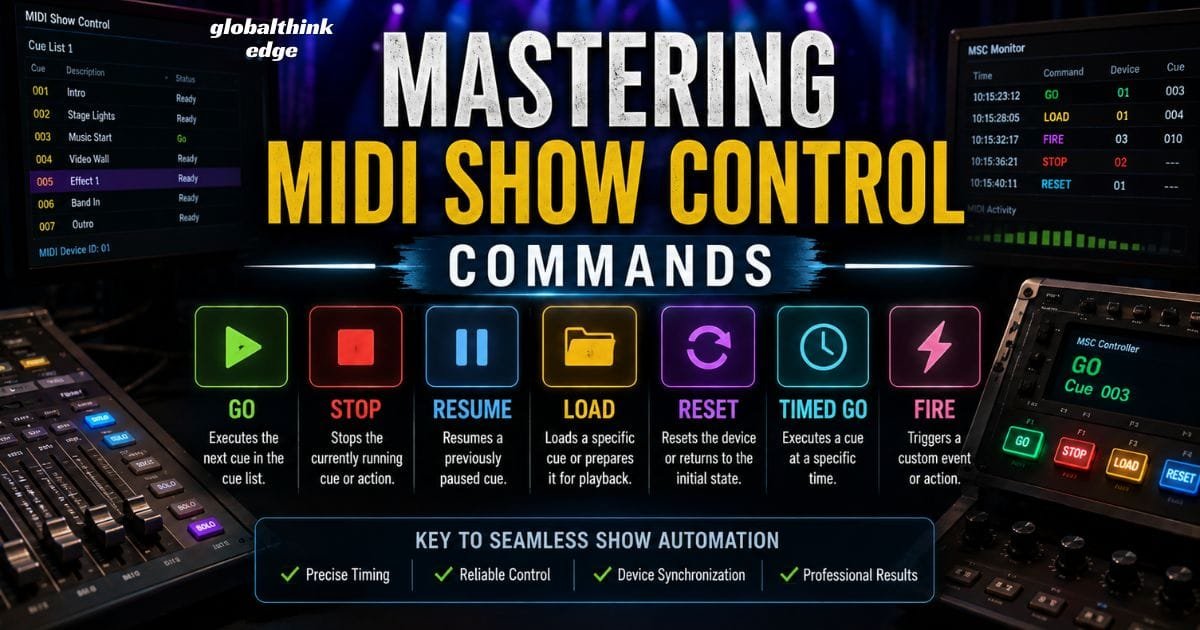
Mastering MIDI Show Control Commands
At the heart of every automated production are MIDI Show Control commands. These predefined instructions tell compatible devices exactly what action to perform. Since the commands follow the MSC standard, equipment from different manufacturers can communicate consistently, provided they support the protocol.
Choosing the correct command for each cue ensures smoother performances and minimizes manual intervention during live events.
Common MIDI Show Control Commands
The following commands are among the most frequently used in professional productions:
| Command | Primary Function | Typical Use Case |
| GO | Executes the next cue | Advancing lighting or audio sequences |
| STOP | Stops the current action | Ending playback or halting effects |
| RESUME | Continues a paused cue | Restarting interrupted media |
| LOAD | Loads a specific cue or scene | Preparing the next sequence |
| RESET | Returns a device to its default state | Resetting equipment after a show |
| TIMED GO | Executes a cue at a scheduled time | Time-critical productions |
| FIRE | Triggers a specific programmed event | Activating custom show actions |
Although these commands appear simple, they form the backbone of highly sophisticated productions that involve hundreds of synchronized cues.
Using Commands Effectively
Successful show automation depends on more than simply assigning commands.
Professional programmers often:
Keep cue names descriptive and organized.
Test every command before the live event.
Group related cues into logical cue lists.
Avoid overlapping commands that could create conflicts.
Maintain backup cues for critical show moments.
Following these practices makes productions easier to manage and troubleshoot, especially when working with large teams.
Choosing the Right MIDI Show Control Software
Reliable MIDI Show Control software acts as the central hub for programming, editing, and triggering automated events. The right application depends on the type of production, the devices being controlled, and the level of automation required.
Some software focuses primarily on lighting control, while others specialize in audio playback, media servers, or integrated show management.
Features to Look For
When evaluating MSC-compatible software, prioritize features such as the following:
Native MIDI Show Control support
Flexible cue management
Real-time editing
Timeline-based automation
Device monitoring
Custom command mapping
Network compatibility
Reliable backup and recovery options
These capabilities improve workflow efficiency and reduce technical risks during live performances.
Software Categories
Depending on your production needs, you may use software designed for:
Lighting Control
Lighting software uses MSC to trigger scenes, adjust intensity levels, and synchronize fixtures with other production elements.
Audio Playback
Professional audio applications can respond to MSC commands by starting tracks, pausing playback, or switching between playlists without manual input.
Projection and Media Servers
Media servers use MSC to launch videos, animations, presentation slides, and projection mapping content at precisely the right moment.
Digital Audio Workstations (DAWs)
Some DAWs integrate MSC support, allowing producers to synchronize recording sessions, playback, and live performances with external equipment.
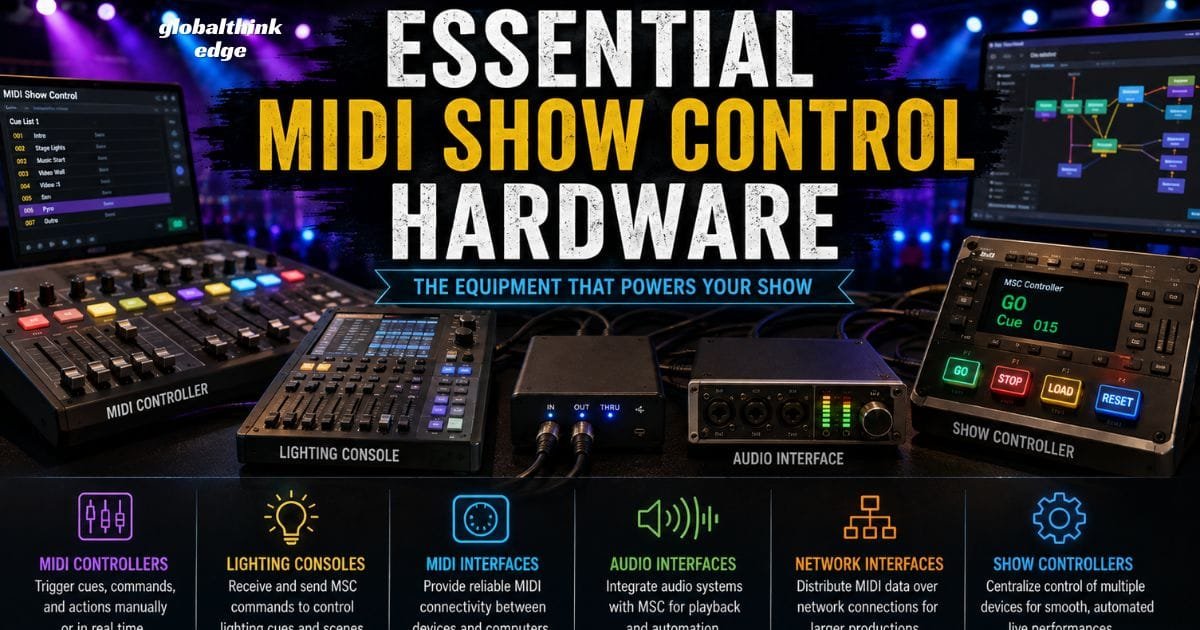
Essential MIDI Show Control Hardware
Software alone cannot automate a production. Reliable MIDI Show Control hardware provides the physical connections that allow commands to move between devices.
Selecting compatible hardware improves communication reliability while reducing latency and signal loss.
Common Hardware Components
A typical MSC system may include the following:
MIDI Controllers
Controllers allow operators to trigger cues manually or send programmed commands during rehearsals and live performances.
Lighting Consoles
Professional lighting desks often include MSC compatibility, enabling them to receive or transmit commands to other production equipment.
Audio Interfaces
Modern MIDI interfaces provide stable communication between computers, digital mixers, playback systems, and external controllers.
Dedicated Show Controllers
These purpose-built devices manage multiple production systems from a single platform, making them ideal for complex installations.
MIDI Network Interfaces
As productions become more advanced, many venues use network-enabled interfaces to distribute MIDI data across larger systems while maintaining reliable communication.
Tips for Selecting Hardware
Before purchasing equipment, consider:
Compatibility with your existing devices
Number of available MIDI ports
Expandability for future productions
Manufacturer support and firmware updates
Build quality for touring environments
Ease of configuration
Investing in dependable hardware often reduces maintenance costs and minimizes technical issues during performances.
Setting Up MIDI Show Control
A properly configured system is essential for reliable automation. Even the most advanced equipment can fail if communication settings are incorrect.
Fortunately, setting up MIDI Show Control is straightforward when approached systematically.
Basic Setup Process
1. Connect all compatible devices using the appropriate MIDI or network connections.
2. Assign a unique device ID to each unit.
3. Configure MIDI input and output ports.
4. Program cue numbers and command assignments.
5. Test communication between every connected device.
6. Run a complete rehearsal before the live event.
Taking the time to verify each step helps identify potential issues long before the audience arrives.
Configuration Best Practices
To improve long-term reliability:
Label every connected device.
Keep firmware updated.
Document all cue assignments.
Save multiple project backups.
Test every programmed sequence after making changes.
These simple habits can prevent unexpected problems during high-pressure productions.
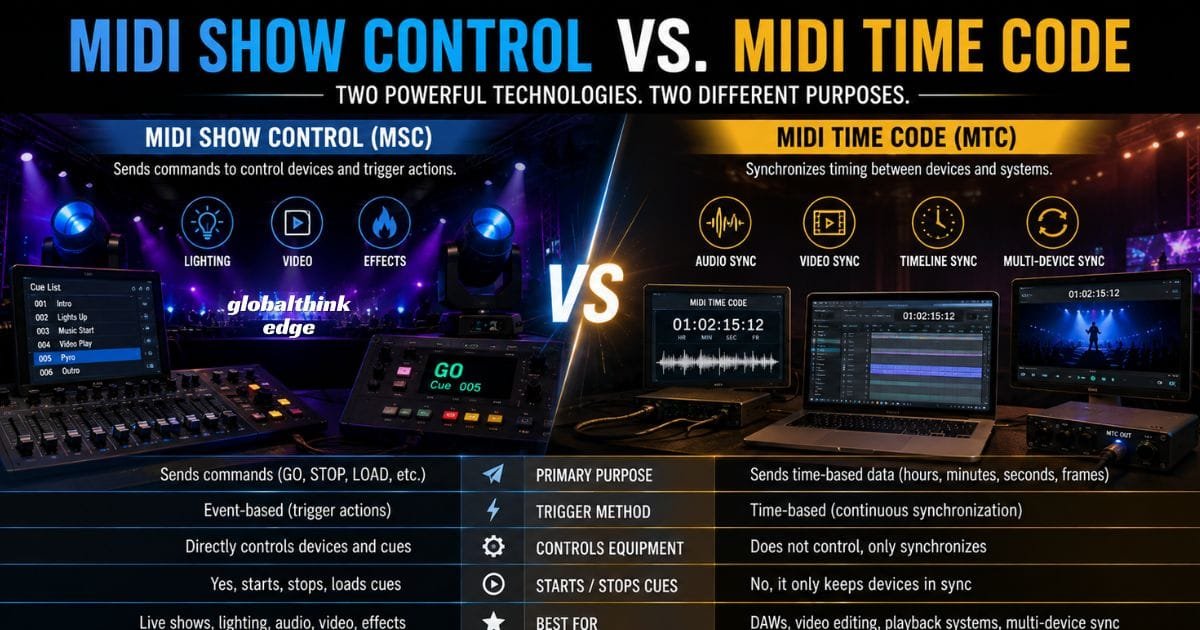
MIDI Show Control vs. MIDI Time Code
Although they often work together, MIDI Show Control (MSC) and MIDI Time Code (MTC) serve different purposes.
| Feature | MIDI Show Control (MSC) | MIDI Time Code (MTC) |
| Primary Purpose | Sends operational commands | Synchronizes timing between devices |
| Trigger Method | Event-based | Time-based |
| Controls Equipment | Yes | Indirectly |
| Starts and Stops Cues | Yes | No |
| Best For | Live show automation | Audio and video synchronization |
In many professional productions, MSC handles command execution while MTC keeps every device synchronized to a common timeline. Using both technologies together creates a highly reliable automation workflow that supports complex live events with consistent precision.
Real-World Applications of MIDI Show Control
One of the biggest advantages of MIDI Show Control is its versatility. Because it follows an industry-standard communication protocol, it can be used across many types of productions where synchronized control is essential.
Whether you’re managing a small venue or a large-scale event, MSC helps multiple systems work together without requiring separate manual actions for every cue.
Concerts and Music Festivals
Concert productions often involve lighting rigs, digital audio systems, LED walls, smoke machines, and video playback servers.
With MIDI Show Control, a single command can trigger several of these systems simultaneously, ensuring that every lighting change, soundtrack, and visual effect stays perfectly synchronized with the performance.
Theatre Productions
Theatre shows rely heavily on accurate cue timing.
MSC allows lighting transitions, sound effects, stage automation, and projection systems to respond instantly to programmed cues, helping productions run smoothly from beginning to end.
Corporate Events
Corporate presentations frequently combine keynote slides, background music, stage lighting, and promotional videos.
Using MIDI Show Control enables presenters and production teams to automate transitions, creating a more polished and professional experience.
Broadcast and Television Studios
Television productions demand consistent timing across cameras, graphics, lighting, and audio.
MSC helps coordinate these elements while reducing manual intervention during live broadcasts.
Museums and Interactive Installations
Museums, exhibitions, and visitor attractions often use automated multimedia experiences.
MIDI Show Control can activate lighting, narration, animations, and interactive displays based on programmed sequences, improving visitor engagement while reducing ongoing operational effort.
Benefits of Using MIDI Show Control
Implementing MIDI Show Control offers practical advantages for both small productions and complex live events.
Some of the most significant benefits include:
Faster cue execution with minimal delay.
Reliable synchronization across multiple devices.
Reduced dependence on manual operation.
Improved consistency during repeated performances.
Better coordination between lighting, sound, and video teams.
Scalable workflows suitable for productions of all sizes.
Compatibility with a wide range of professional equipment.
Simplified rehearsal and show management.
These benefits make MSC an effective solution for organizations seeking dependable and repeatable show automation.
Common Challenges and Troubleshooting Tips
Even a well-designed setup can occasionally encounter technical issues. Identifying common problems early helps maintain reliable performance during rehearsals and live events.
Devices Are Not Responding
If a device fails to react to an MSC command:
Verify MIDI cable or network connections.
Confirm that the device supports MIDI Show Control.
Check whether MIDI input is enabled.
Ensure the correct communication port is selected.
Incorrect Device IDs
Commands may be ignored if device IDs do not match.
Review every assigned ID and confirm that each controller is targeting the intended equipment.
Command Routing Problems
Improper routing is another common issue.
Double-check MIDI input and output assignments to ensure commands reach the correct destination.
Latency or Timing Delays
Unexpected delays can occur when systems become overloaded.
To minimize latency:
Use high-quality MIDI interfaces.
Reduce unnecessary background processes.
Keep firmware and software updated.
Test the entire setup before every performance.
A structured testing routine significantly reduces the likelihood of technical interruptions during live productions.
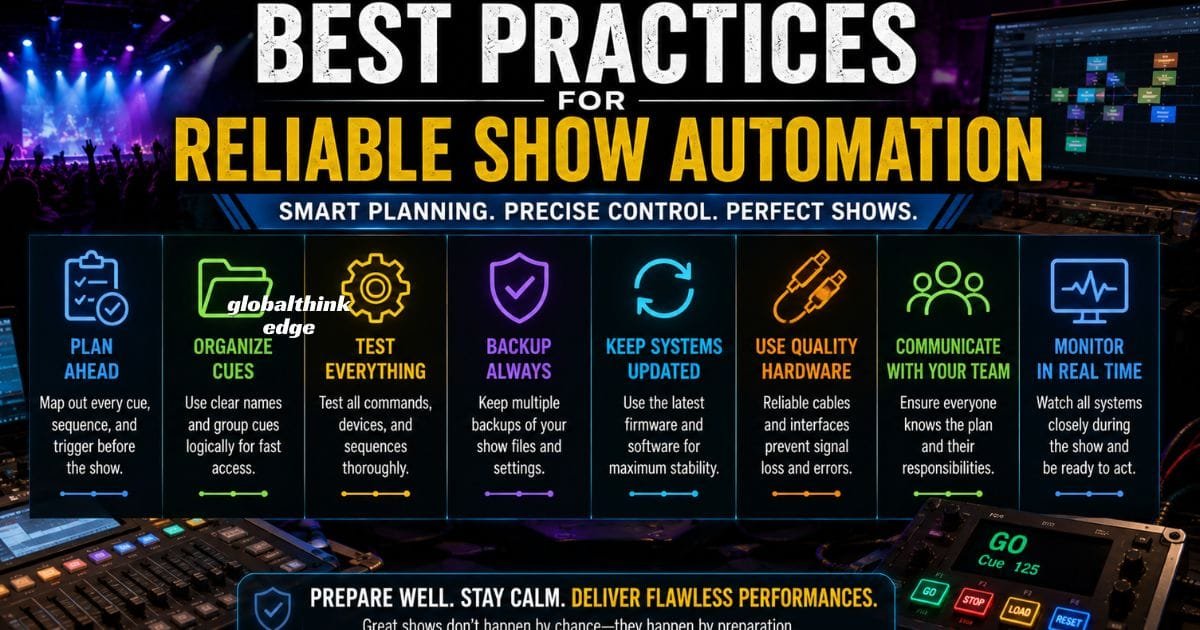
Best Practices for Reliable Show Automation
Experienced production teams follow established workflows that improve both reliability and efficiency.
Consider adopting these practices:
Assign clear and consistent cue names.
Organize cue lists logically.
Label all connected hardware.
Maintain backup project files.
Test every programmed command before the event.
Keep spare MIDI cables and interfaces available.
Record configuration settings for quick recovery.
Schedule regular maintenance for production equipment.
These habits not only reduce troubleshooting time but also improve confidence during high-pressure performances.
The Future of MIDI Show Control
Although entertainment technology continues to evolve, MIDI Show Control remains an important part of many professional production environments.
Modern systems increasingly combine MSC with network-based protocols, advanced media servers, and centralized automation platforms to create more flexible workflows.
Looking ahead, several developments are expected to shape the future of show control:
Greater integration with MIDI 2.0 ecosystems.
Improved interoperability between hardware manufacturers.
More cloud-based show management solutions.
Smarter automation powered by artificial intelligence.
Enhanced network communication for large venues.
As productions become more sophisticated, MIDI Show Control is likely to remain a trusted method for coordinating multiple devices while adapting to newer technologies.
Frequently Asked Questions
What is MIDI Show Control?
MIDI Show Control (MSC) is a standardized extension of the MIDI protocol that sends operational commands to compatible lighting, audio, video, and show-control devices during live productions.
What are MIDI Show Control commands?
MSC commands include actions such as GO, STOP, RESUME, LOAD, RESET, and TIMED GO, allowing operators to automate cues across multiple systems.
What software supports MIDI Show Control?
Many professional lighting controllers, media servers, digital audio workstations, and show control platforms offer native or configurable MIDI Show Control support.
What hardware is needed for MIDI Show Control?
A typical setup may include MIDI controllers, compatible lighting consoles, audio interfaces, media servers, dedicated show controllers, and standard MIDI or network connections.
Can MIDI Show Control work with MIDI Time Code?
Yes. Many professional productions use MSC alongside MIDI Time Code (MTC). While MSC sends operational commands, MTC keeps devices synchronized to a shared timeline.
Is MIDI Show Control still relevant today?
Absolutely. Despite advances in production technology, MSC remains a dependable standard for coordinating lighting, sound, projection, and multimedia systems in live entertainment.
Conclusion
MIDI Show Control has become a trusted standard for automating live productions where precision and reliability are essential. By enabling lighting, audio, video, and other stage systems to communicate through standardized commands, MSC helps production teams deliver seamless performances with fewer manual interventions.
Whether you’re designing a theater production, managing a concert, operating a broadcast studio, or building an interactive multimedia installation, understanding MIDI Show Control commands, selecting the right MIDI Show Control software, and investing in compatible MIDI Show Control hardware can greatly improve workflow efficiency and show consistency.
As entertainment technology continues to advance, MSC remains a practical and future-ready solution for professionals who value synchronized control, scalable automation, and dependable performance. Mastering its capabilities today will help you build more efficient, accurate, and engaging productions for years to come.
