Android 15 Satellite Messaging Support: Brilliant Facts
Does Android 15 support satellite messaging?
Yes. Android 15 satellite messaging support is built into the operating system, allowing compatible messaging apps and supported devices to use satellite connectivity when cellular and Wi-Fi networks are unavailable. Google added platform support for SMS and MMS apps, along with preloaded RCS apps, to send and receive messages through satellite networks.
However, Android 15 alone does not turn every Android phone into a satellite messenger. Actual satellite messaging depends on the phone’s hardware, modem, carrier, satellite network, messaging app, region, and software configuration.
That distinction is important because many articles treat Android 15 satellite support as a universal feature. It is better understood as platform-level support that enables compatible phones and networks to provide satellite messaging.
How Android 15 satellite messaging works
Android 15 improves the operating system’s ability to recognize and manage non-terrestrial network connections. Apps can detect when a phone is connected to a satellite using Android’s ServiceState.isUsingNonTerrestrialNetwork() API.
When compatible hardware and a supported carrier are available, the phone can use a satellite connection when conventional cellular service is unavailable. Android 15 also provides user interface elements designed to create a more consistent satellite experience.
The practical result is simple: your phone can potentially stay connected when you move outside normal tower coverage, but the carrier and device must support the required satellite technology.
Which Android phones support satellite messaging?
There is no single list of every Android 15 phone with satellite messaging because Android version and satellite hardware support are separate requirements.
Google’s Pixel 9 family introduced Satellite SOS, making the Pixel 9 series an important example of Android satellite connectivity. Google states that Satellite SOS is available on Pixel 9 and newer supported Pixel devices, excluding the Pixel 9a.
Carrier-based satellite messaging has expanded further. Verizon currently lists the Pixel 9 series, Pixel 10 series, Samsung Galaxy S25 family, Galaxy Z Fold7, and Galaxy Z Flip7 among Android phones supporting its satellite SOS and messaging service.
Samsung has also expanded satellite communication through carrier partnerships. Its current support includes selected Galaxy models and services that can provide satellite-based messaging, data, and emergency assistance depending on the market and network.
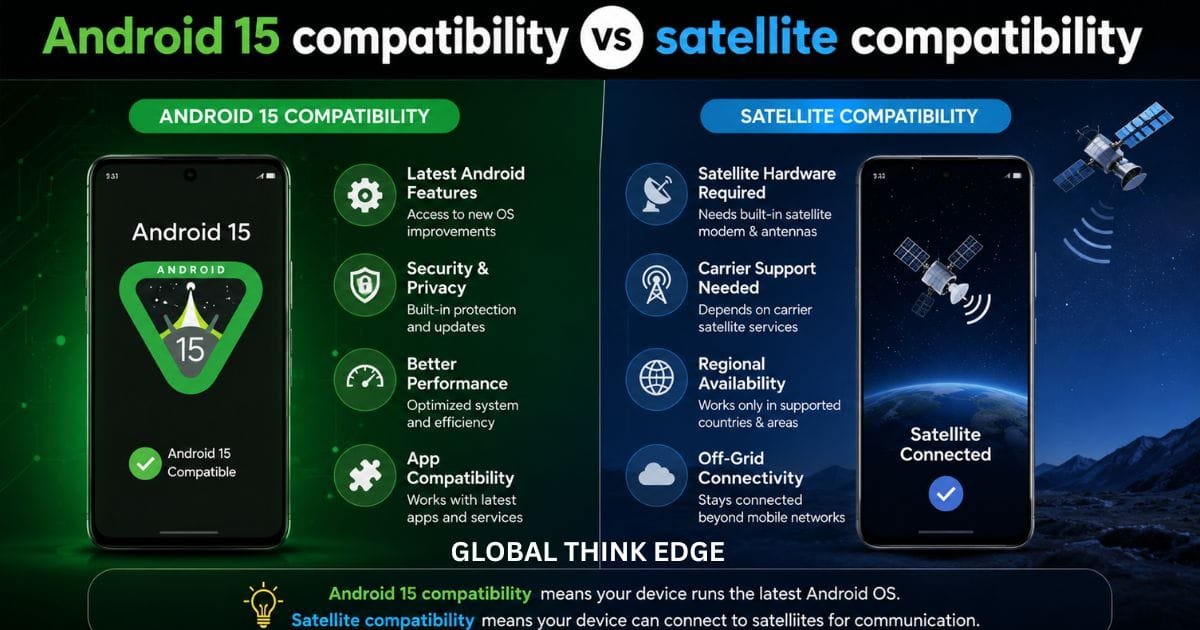
Android 15 compatibility vs satellite compatibility
These two requirements should not be confused:
| Requirement | What it means |
| Android 15 | Provides operating-system support for satellite connectivity |
| Compatible modem/hardware | Allows the phone to communicate with the satellite network |
| Supported carrier | Provides the satellite service or network integration |
| Compatible messaging app | Handles supported satellite messages |
| Supported region | Determines where the service can operate |
| Clear sky view | Helps the phone establish and maintain the satellite connection |
A phone can run Android 15 perfectly and still have no satellite messaging capability if its hardware or carrier does not support the service.
Can Android 15 send SMS through satellite?
Yes, on supported devices and networks. Android 15 specifically adds support for SMS and MMS applications to use satellite connectivity for sending and receiving messages. It also supports preloaded RCS applications for satellite messaging.
This means satellite messaging is not necessarily restricted to a separate satellite-phone application. Depending on the implementation, the normal messaging experience can work over the satellite connection.
Carrier services can expand these capabilities further. For example, T-Mobile’s T-Satellite service allows compatible Android phones to send and receive text messages when conventional cellular coverage is unavailable. Its current service also supports additional satellite-connected functions on selected devices.
SMS, MMS, and RCS are not always identical
Satellite networks have limited bandwidth compared with cellular networks. Therefore, a carrier may support basic text messaging while restricting or gradually rolling out larger media features.
T-Mobile currently supports text, picture, and other messaging capabilities on compatible devices, while noting that satellite performance can vary and messages may take longer to deliver.
So, even if your Android phone supports satellite messaging, you should not assume that every RCS feature, large attachment, group conversation, or media type will work exactly as it does over 5G or Wi-Fi.
How to use satellite messaging on Android 15
The exact process depends on your phone and carrier, but the general experience follows a few steps.
1. Move outside cellular coverage
Satellite messaging becomes useful when traditional mobile and Wi-Fi networks are unavailable. You generally need to be outdoors with a relatively unobstructed view of the sky.
Buildings, trees, mountains, and other obstructions can interfere with satellite connections. Google’s Satellite SOS instructions specifically recommend positioning the phone with a clear view of the sky.
2. Wait for satellite connectivity
On supported carrier services, the phone can automatically connect when normal network coverage disappears.
For example, T-Mobile says compatible devices automatically connect to T-Satellite when no other cellular service is available. The device displays a satellite-related network indicator when connected.
3. Open your supported messaging app
Depending on the service, you may continue using the regular messaging application.
Verizon’s current Android satellite messaging instructions require Google Messages to be the default messaging application on supported phones.
4. Send a short message
Enter your recipient and send the message normally. Satellite messages can take longer than cellular messages because the phone must establish and maintain a satellite connection.
T-Mobile notes that satellite messages may take longer to send, while its device tutorials indicate that some messages can take several minutes.
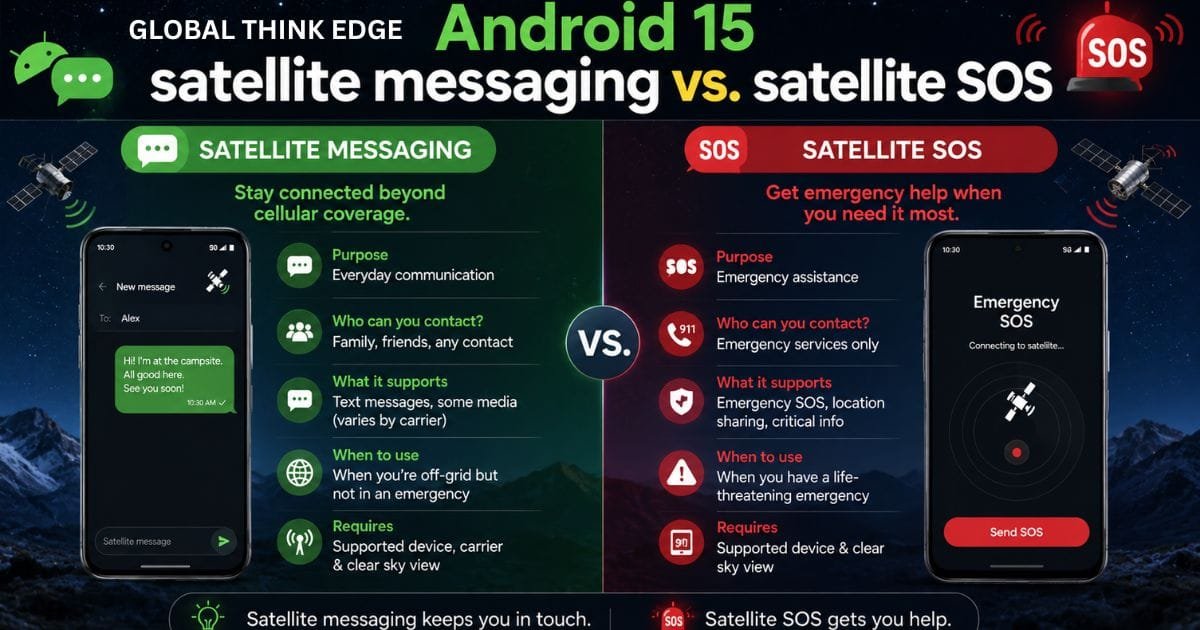
Android 15 satellite messaging vs. satellite SOS
These features are related but serve different purposes.
Satellite messaging is designed for communication when conventional networks are unavailable. Depending on the carrier, it may support texts, location sharing, pictures, or other limited services.
Satellite SOS is focused on emergency communication. Google’s Pixel implementation allows supported Pixel phones to contact emergency services through satellite when cellular and Wi-Fi connectivity are unavailable.
| Feature | Satellite Messaging | Satellite SOS |
| Main purpose | Everyday communication | Emergency assistance |
| Regular contacts | Usually supported | Primarily emergency services |
| Cellular required | No, when satellite service is available | No |
| Wi-Fi required | No | No |
| Device restrictions | Carrier and hardware dependent | Strong device restrictions |
| A clear sky needed | Usually | Yes |
| Availability | Carrier- and region-dependent | Region- and device-dependent |
This distinction prevents a common misunderstanding: having Satellite SOS does not automatically mean that a phone supports unrestricted satellite texting with friends and family.
What are the limitations of Android 15 satellite messaging?
Satellite connectivity is useful, but it is not a replacement for a normal mobile network.
First, coverage varies. Satellite services depend on the provider, country, regulations, and network deployment.
Second, hardware matters. Android 15 provides the software framework, but compatible satellite-capable hardware remains necessary.
Third, messages can be slower. Satellite links have different latency and capacity characteristics than cellular networks.
Fourth, the sky view matters. Buildings, dense vegetation, terrain, and other obstructions can make a connection difficult.
Finally, carrier support is critical. A phone may have Android 15 and still lack access to a satellite messaging service in its market.
Google’s Satellite SOS documentation also notes that connection and response times vary according to location and site conditions.
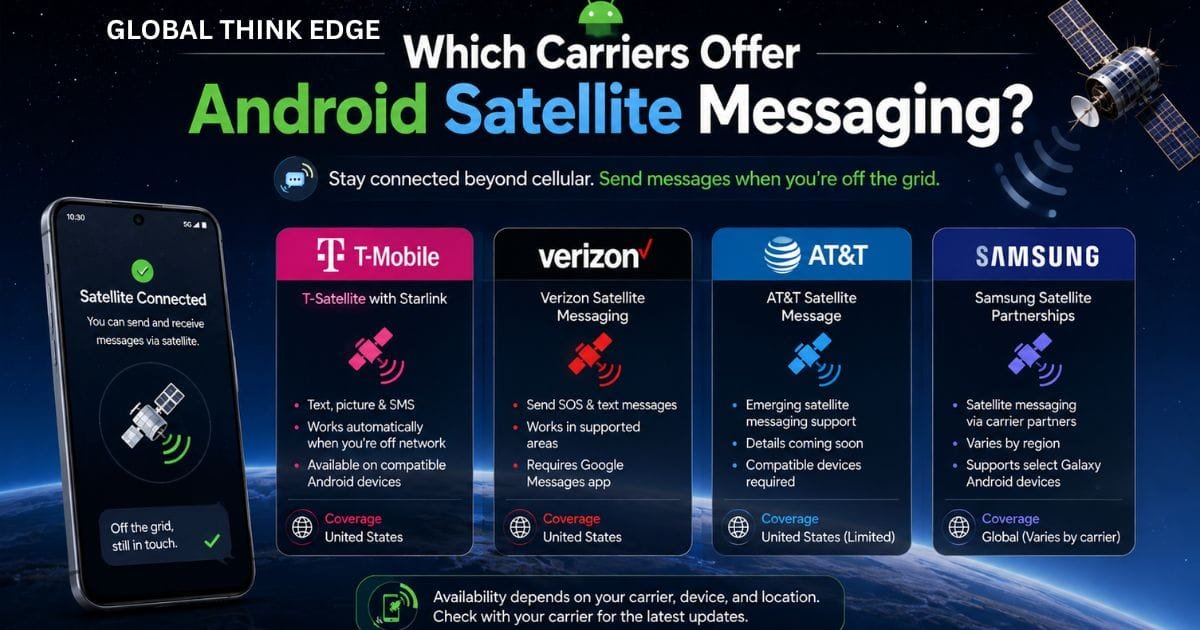
Which carriers offer Android satellite messaging?
Carrier availability is changing quickly, so users should check their network before assuming that satellite messaging will work.
In the United States, T-Mobile’s T-Satellite with Starlink supports compatible Android smartphones for messaging and selected satellite-ready applications. T-Mobile says the service can automatically activate when traditional network coverage is unavailable.
Verizon also supports satellite messaging on selected Android devices, including newer Pixel and Samsung Galaxy models. Its current documentation says supported Android users can send SOS alerts and texts through Google Messages in supported areas.
Samsung is expanding satellite communication through partnerships with operators in North America, Europe, and Japan, although supported models and features differ by market.
What about Android phones outside the US?
Availability is much more complicated outside the United States. Satellite messaging depends on local carriers, satellite providers, regulatory approval, supported phones, and the specific service.
Therefore, an Android 15 phone purchased in one country may have satellite capabilities that are unavailable in another country.
Users should check their exact phone model, carrier, country, and current software version rather than relying only on the Android 15 version number.
Frequently Asked Questions
Does Android 15 have satellite messaging?
Yes. Android 15 adds platform-level satellite connectivity support, including support for compatible SMS, MMS, and preloaded RCS messaging applications. Actual availability depends on the phone, carrier, satellite network, and region.
Does every Android 15 phone support satellite messaging?
No. Android 15 provides the software framework, but satellite messaging also requires compatible hardware and a supported network or carrier service.
Can Android 15 send messages without cellular service?
Yes, on supported devices and services. A compatible phone can use satellite connectivity when cellular and Wi-Fi networks are unavailable.
Does satellite messaging require a clear view of the sky?
Usually, yes. A clear outdoor view improves the phone’s ability to connect with satellites. Buildings, trees, and terrain can interfere with the connection.
Is satellite messaging free on Android 15?
There is no universal Android 15 satellite messaging price. Costs depend on the carrier and service. Some satellite emergency features may be included with supported phones, while carrier-based messaging can require an eligible plan or add-on. T-Mobile, for example, offers T-Satellite through qualifying plans and paid options.
Final verdict
Android 15 satellite messaging support is real, but it is not a universal feature for every Android 15 phone. Android 15 provides the operating-system foundation needed for satellite connectivity and messaging, while the actual experience depends on compatible hardware, carriers, satellite networks, apps, regions, and regulatory support.
For buyers, the best approach is to check the specific phone model and carrier service, not simply whether the phone runs Android 15. As satellite networks continue expanding, Android’s platform support gives manufacturers and carriers a stronger foundation for reliable off-grid messaging and emergency communication.
